Christmas light design app: lights on any house from one photo
A Christmas light design app for the house in front of you. How to decorate it with Christmas lights, in three steps:
- 1
Measure the eaves
Tape every roof edge you'll light. With C9 bulbs 12 inches apart the feet are the bulbs: 58 ft of eaves and a 27 ft gable take 85, so buy 100.
- 2
Pick warm white or color
Upload a daylight photo of the house below and try warm white, multicolor and icicle lights on it; the design turns it to dusk.
- 3
See it before you buy
Hung by an installer, lights cost about $2 to $5 a foot, up to $10 with their lights: those 85 ft come to roughly $170 to $425, or $850. Your own quote
1 free design with Google sign-in, no card, while today's free designs last.
Your photo
Tip: stand across the street in daylight and fit the whole front and the roofline in one photo.
Style
Examples created with AI.
Size
about 1 megapixel · 1 credit
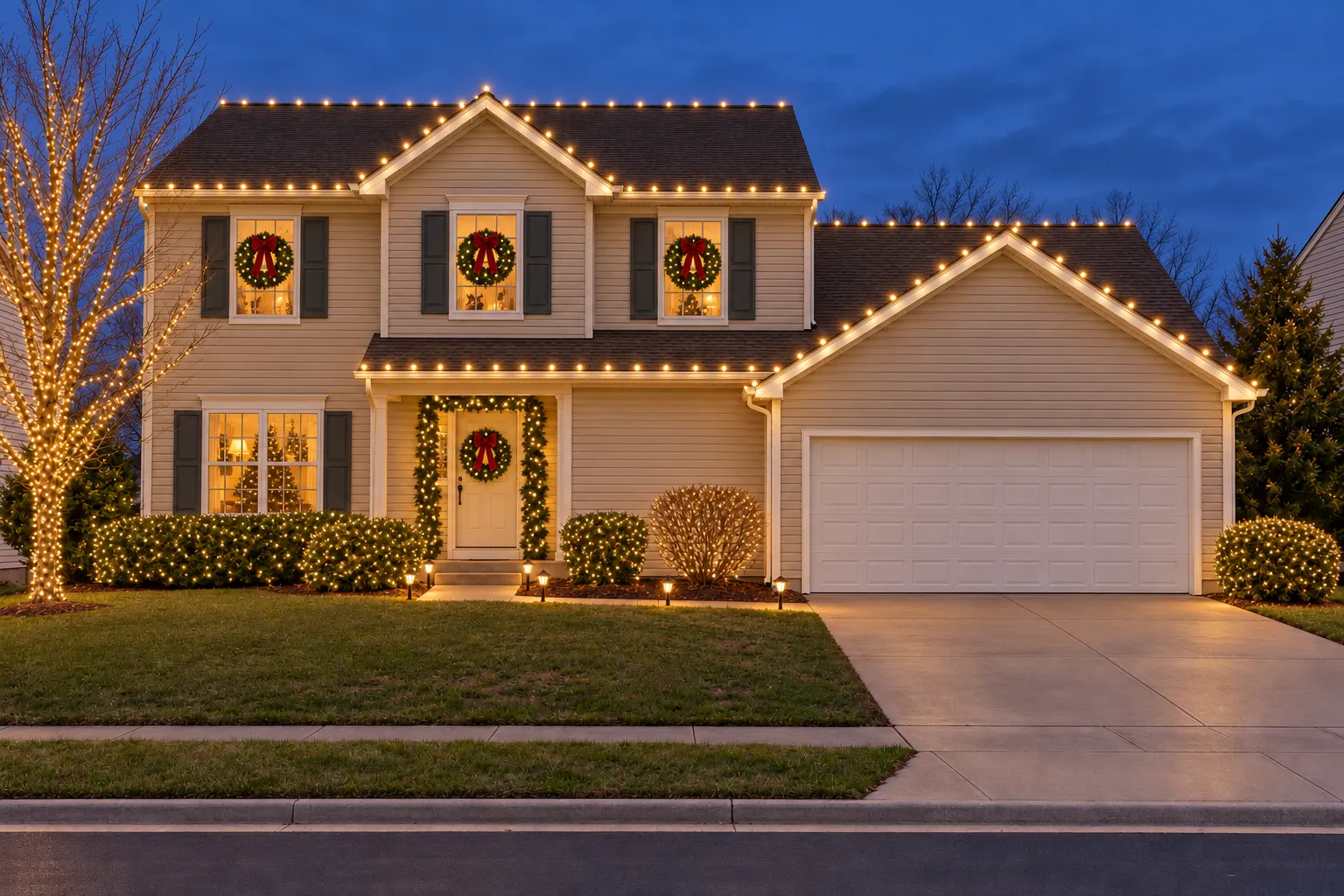
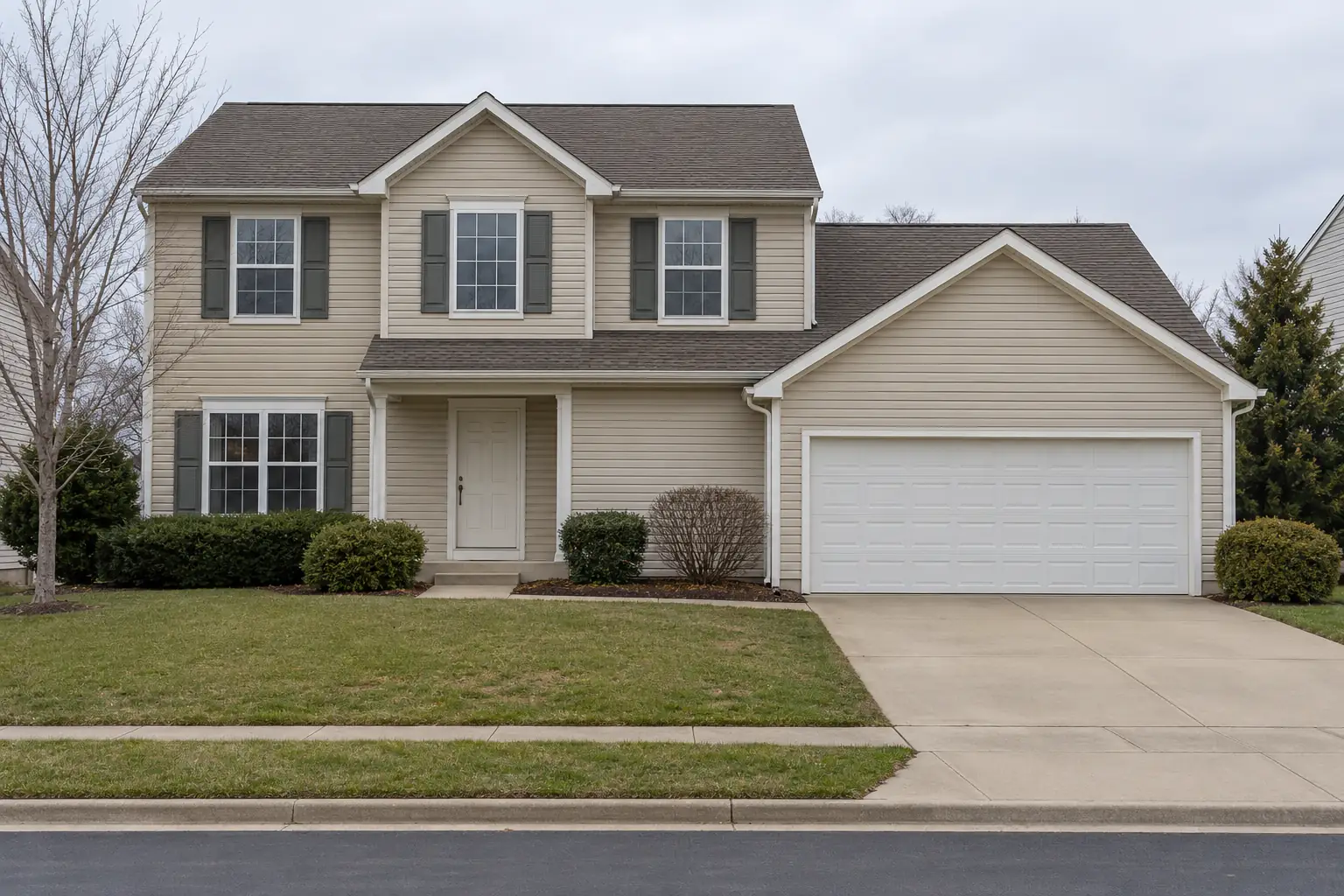 Before
Example: the house before, and Christmas with warm white lights. Created with AI.
Your own image will show up here.
Designs are made with OpenAI's GPT Image 2.5. The AI is asked to keep your walls, windows and camera angle. Compare the result with your photo before making real changes.
One house, lit three ways
Each of these came from the same photo of an ordinary house. Pick one of them in the AI Christmas light designer above and it does the same to the house you upload: the siding, the windows and the driveway stay, and the lights go on.
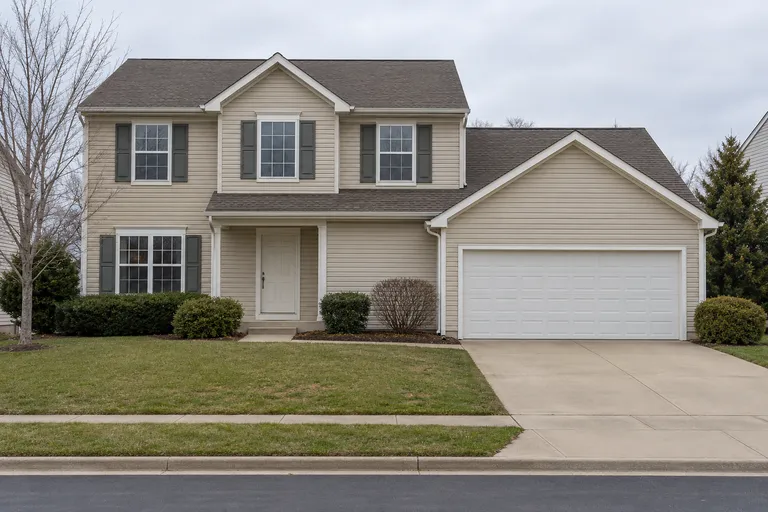 Before, created with AI
The house before
An ordinary 1990s two-story house on a gray afternoon
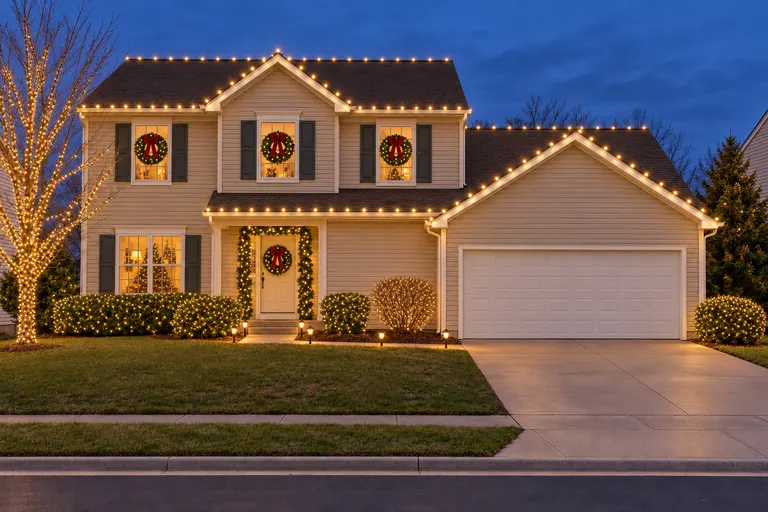 Created with AI
Warm white lights
Lit rooflines · Wreaths in the windows · Lit shrubs and path lights
Try these lights on my house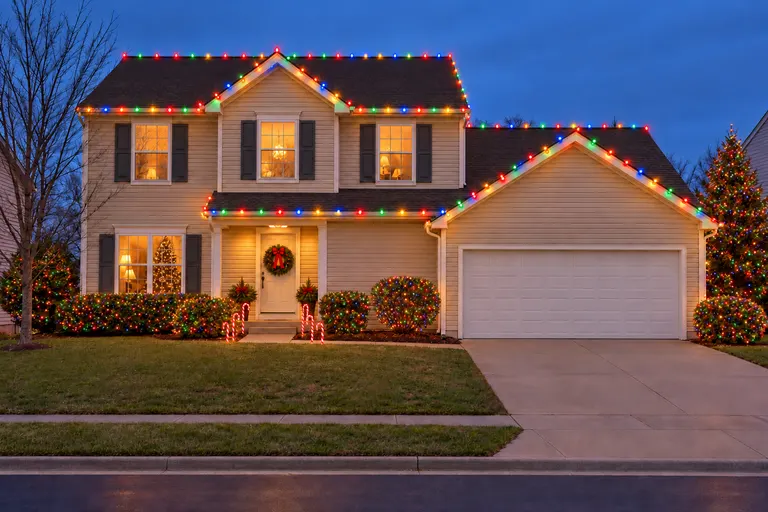 Created with AI
Multicolor lights
Multicolor bulbs · Lit evergreens · Candy cane path lights
Try these lights on my house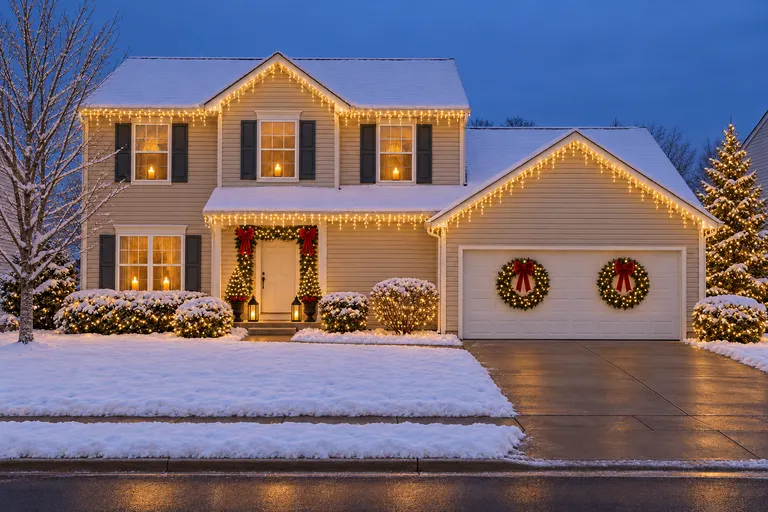 Created with AI
Snowy Christmas
Warm white icicle lights · Wreaths on the garage · Candles in the windows
Try these lights on my house
Example designs, created with AI.
Christmas light design software for installers, paid per mockup
Homeowners say yes faster when they can see their own house lit up. A mockup turns "how much for the roofline?" into "when can you start?", and it costs 26 to 34 cents, not a monthly fee.
01
Get one photo of the house
Take it on the first visit, or ask the homeowner to send one: daylight, from across the street, the whole front and every roofline in the frame.
02
Pick the lights
Christmas for warm white bulbs on every roofline, Color lights for multicolor, or Snowy Christmas for icicle lights. Make two and let the customer choose.
03
Send it with the price
Put the picture next to your quote by text or email. The homeowner sees their own house lit up instead of someone else's.
04
Measure before you order
The picture sells the look. The feet of light, the clips and the outlets still come from your tape measure.
| Typical light design software | This app | |
|---|---|---|
| How the mockup is made | In many, you draw each strand of lights on the photo yourself. | You upload the photo and pick a look; the AI draws the lights on every roofline. |
| Time per house | Depends on how many lines you draw. | Under a minute for most photos. |
| Measuring and quotes | Varies: check whether it measures rooflines or builds the estimate. | No. It doesn't measure, count bulbs or price the job. |
| How you pay | Often a monthly subscription. | Packs paid once, no subscription: $11.90 for 35 credits or $32.90 for 125. |
Is there an app that shows where the lights go and how much you need?
It's the question installers ask every fall. Half of it, yes: this app shows where the lights go, on every roofline, gable and garage edge, around the front door, on the shrubs and trees and along the walkway, on the customer's own house.
The other half, no: it doesn't measure. The AI draws lights where they look right, not where your clips go, so the feet of light and the number of runs still come from you. Use the picture to win the job and the tape measure to price it: the count below goes part by part, with a two-story house worked out.
Before you quote
- Measure each roofline you want to light, in feet, plus the run to the nearest outdoor outlet, before you buy.
- Use lights and extension cords rated for outdoor use, plugged into a GFCI outlet.
- Hang them with plastic gutter and shingle clips, not nails or staples.
- Put them on a timer, so they come on at dusk and go off at bedtime.
- Pick one color for the rooflines and keep the shrubs and trees to match.
How many Christmas lights do you need for your house?
The mockup shows where the lights go; this is how to count them. Add up the feet, part by part, and the number comes out of the tape measure rather than a guess.
Rooflines and gutters
Run the tape along each straight edge you want lit. With bulbs 12 inches apart, the feet are the bulbs.
58 ft of eaves and gutter = 58 C9 bulbs
Peaks and gables
Measure the slope, not the width: half the width and the height of the peak make a right triangle.
A gable 24 ft wide and 6 ft high has two slopes of 13.4 ft: 27 ft
Windows and doors
Around the frame: twice the width plus twice the height.
A 3 × 5 ft window = 16 ft; a 3 × 7 ft door = 20 ft
Shrubs
Net lights, laid over the top and the side that faces the street.
One 4 × 6 ft net per bush up to about 4 ft across
The walkway
The length divided by the gap between stakes, plus one.
A 30 ft walk, a stake every 3 ft = 11 stakes
From the outlet
The distance from the outlet to the first bulb is lead wire or an outdoor cord, not lights.
Measure it too, so the first run reaches
A two-story house, counted
- Eaves and gutter across the front
- 58 ft
- One front gable, two slopes
- 27 ft
- Roofline in all, C9 bulbs 12 inches apart
- 85 ft: 85 bulbs, about 94 with 10% spare, so buy 100
- Front door and two 3 × 5 ft windows, mini lights
- 52 ft
- Three bushes by the porch
- 3 nets
- A 30 ft walk
- 11 stakes
Buy each kind of light from one product line, so every run is the same color white.
How many sets on one outlet, and what they cost to run
The tag on the first set says how many sets can be joined end to end; past that, the fuse in the plug blows. LED sets allow far more than old incandescent ones. A standard 15-amp household circuit carries 1,800 watts, and lights left on for hours should stay under about 1,440 of them.
To work out the bill, multiply the watts on the boxes by the hours a night and the number of nights, divide by 1,000 and multiply by your price per kilowatt-hour. 100 LED C9 bulbs at about half a watt each, six hours a night for 40 nights at 17 cents, come to about $2.
Turn the count into a quote
Many installers price a job by the foot of lights, installed, with net lights on bushes priced each and a few things charged once. The numbers below start from the two-story house above; type in your own feet and your own rates, and the quote adds itself up.
- 137 ft × $4
- $548
- 3 bushes × $25
- $75
- Charged once
- $0
The quote$623
Send it with the mockup of the same house, so the customer sees what the number buys.
A Christmas light visualizer for homeowners too
Not an installer? Put AI Christmas lights on your own house the same way: add Christmas lights to a photo of it and try warm white against multicolor before you buy a strand. For the inside, the AI Christmas decorations page decorates the living room, bedroom, kitchen and bathroom, and the AI exterior house design page tries new siding, colors and a front door the rest of the year. The door itself, with a wreath and garland sized to fit, is on Christmas front door decor.
Christmas light design app FAQ
Is there an AI Christmas light designer?
Yes, this is one. Upload a photo of a house, switch to House front and pick Christmas, Color lights or Snowy Christmas, and the AI puts the lights on the rooflines, around the front door, on the shrubs and along the walkway, at dusk so they glow. The house itself stays as it is.
What's the best Christmas light design app for installers?
It depends on the job. If you need the app itself to measure rooflines or build the estimate, look for dedicated light design software that says it does. If you want a picture of the customer's own house lit up, fast and without drawing every strand, this app does that, paid per mockup instead of by the month.
Can it measure how many feet of lights I need?
No. It draws the lights where they look right; it doesn't measure the roofline or count bulbs. Measure every roof edge and the run to the nearest outdoor outlet yourself, then order with a little to spare. The how-many-lights section on this page shows the sums for each part of the house.
Is there a Christmas light quote app?
This one makes the picture that goes with a quote: the customer's own house lit up, sent by text or email beside your price. The price itself comes from the feet of light, which you count from the tape measure, times your rate; many installers price a job by the foot, with the clips, the lights and the takedown in it. The app doesn't write the estimate or book the job, so keep your quote in the tool you already send it from and attach the mockup.
How do I take a good photo of my Christmas lights?
Shoot at dusk, about 20 to 30 minutes after sunset, while the sky is still deep blue: the lights glow and the house still shows, where full dark leaves bright dots on black. Stand across the street, rest the phone on a post or a small tripod, turn the flash off and hold still for night mode. If the bulbs blur into white blobs, tap one and slide the brightness down a little. For the photo you upload here, use daylight instead: the design turns it to dusk for you.
How much does it cost?
New accounts get 1 free design at standard size, with a small getairoomdesign.com mark: sign in with Google, no card needed, while the day's free designs last. After that, one design takes 1 credit at 1K, 2 at 2K and 3 at 4K, and the packs are $11.90 for 35 credits or $32.90 for 125, paid once with no subscription, so a standard mockup costs 26 to 34 cents.
Can I send the mockups to my customers?
Yes. We don't claim any rights to the designs you make, so you can send them with a quote or post them, subject to the law and to the terms of the AI model's maker. Tell customers it's a mockup made with AI, not a photo of finished work.
Is it a Christmas light visualizer for homeowners too?
Yes. Anyone can upload a photo of their own house and see it lit three ways before buying a single strand. Inside the house, the AI Christmas decorations page does the same for the tree, the garlands and the living room.
How do I add Christmas lights to a photo of my house?
Upload a daylight photo of the front of the house, switch to House front and pick Christmas, Color lights or Snowy Christmas. In about a minute the same house comes back with lights on the rooflines, the front door and the shrubs, shown at dusk so they glow.
What photo works best?
A daylight photo taken from across the street, phone held sideways, with the whole front, the roofline and the garage in the frame. Cars in the driveway and people in the shot are best left out.
More: the AI room design home page, the room visualizer, terms and pricing.