AI living room design from a photo of your living room
AI living room design starts from the room you have: upload a photo, pick a style, and see the same walls and windows with new furniture, colors and decor.
1 free design with Google sign-in, no card, while today's free designs last.
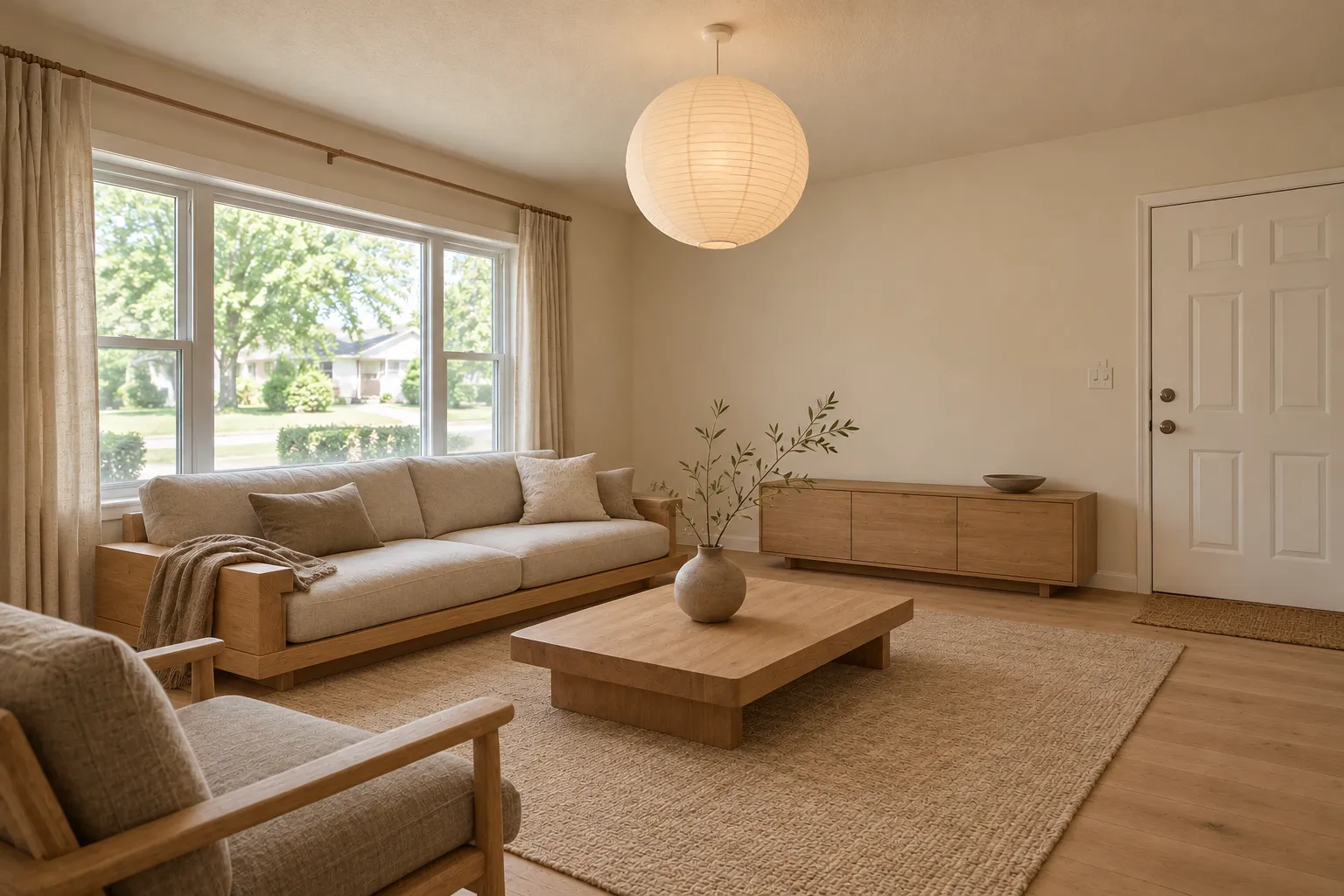
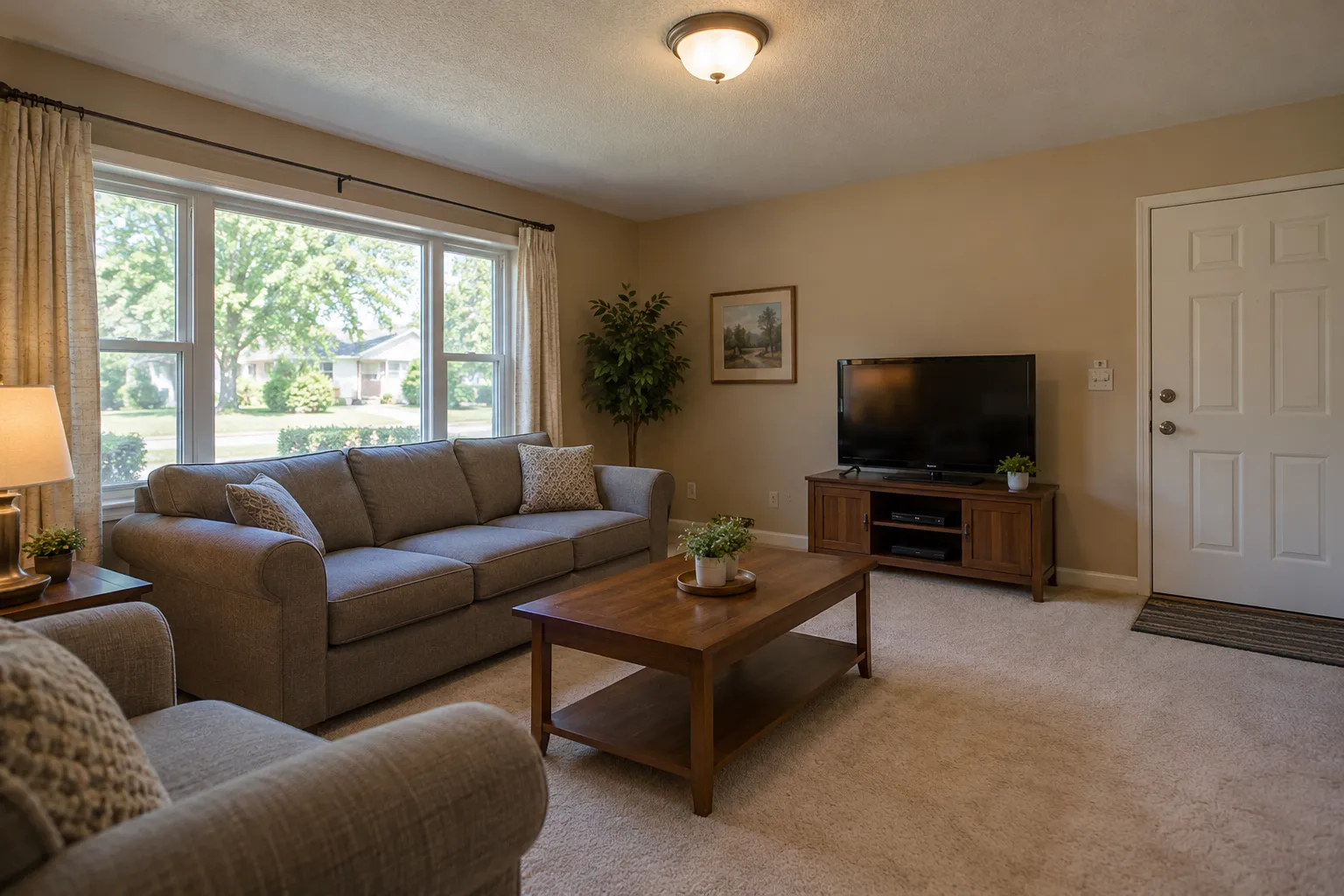 Examples created with AI
Drag the line to compare.Try Japandi on my living room
Start your living room redesign
Your photo
Tip: stand in a doorway or corner and fit the whole room in one wide photo, floor to ceiling. Close-ups of one corner give odd results.
Style
Examples created with AI.
Size
about 1 megapixel · 1 credit
Your image will show up here.
Designs are made with OpenAI's GPT Image 2.5. The AI is asked to keep your walls, windows and camera angle. Compare the result with your photo before making real changes.
Styles that suit a living room
Japandi
Low wooden furniture and earth tones calm a busy room down.
Scandinavian
Light wood and soft textiles brighten a living room that gets little sun.
Mid-century modern
Walnut, tapered legs and one bold chair give a plain room character.
More for your room: AI Thanksgiving decor, AI room planner.
Interior design styles
How to take the photo
- Stand in a corner so two walls and the sofa wall are in the picture.
- Clear the coffee table and the floor first: what's in the photo tends to stay.
- Shoot in daylight with the lights on, phone held sideways.
What it costs
One design takes 1 credit at 1K, 2 at 2K and 3 at 4K. The packs are $11.90 for 35 credits or $32.90 for 125, paid once, with no subscription, and credits don't expire. See pricing.
Living room design FAQ
Can AI design my living room from a photo?
Yes: it redraws your own living room in the style you pick, keeping the walls, windows and doors. It's a picture to decide with, not a plan with measurements.
Will it move my furniture around?
It replaces the furniture with pieces in the new style, roughly where the old ones stood. It doesn't measure the room, so check that a sofa like the one in the picture fits before you buy one.
What kind of photo works best?
A wide photo of the whole room, taken from a doorway or corner in daylight, with the floor, walls and windows in view. The AI restyles and furnishes what it sees, so a close-up of one corner can come out crowded or strange. Move personal items you don't want in the picture.
Can I try AI living room design for free?
Yes. New accounts get 1 free design at standard size, with a small getairoomdesign.com mark: sign in with Google, no card needed, while the day's free designs last. After that, one design takes 1 credit at 1K, 2 at 2K and 3 at 4K, and the packs are $11.90 for 35 credits or $32.90 for 125, paid once with no subscription.
Other rooms
- AI room design
- Bedroom
- Kitchen
- Bathroom
- House exterior
- Backyard
- AI interior design
- AI home design
- AI virtual staging
- AI room decorator
- Room visualizer
- AI Christmas decorations
- Christmas light design app
- Virtual staging for real estate
- Xeriscape landscaping
- Exterior house color visualizer
- AI Christmas tree
- Virtual home staging services
- Virtual staging software
- AI Thanksgiving decor
- AI room planner
- Gallery wall planner
- Christmas mantel ideas
- Christmas front door decor
- Christmas table decor