AI virtual staging for an empty room, from one photo
AI virtual staging for listing photos: upload a photo of an empty room, pick a style, and get the same room furnished. The walls, windows, doors, light and floor stay exactly as they are.
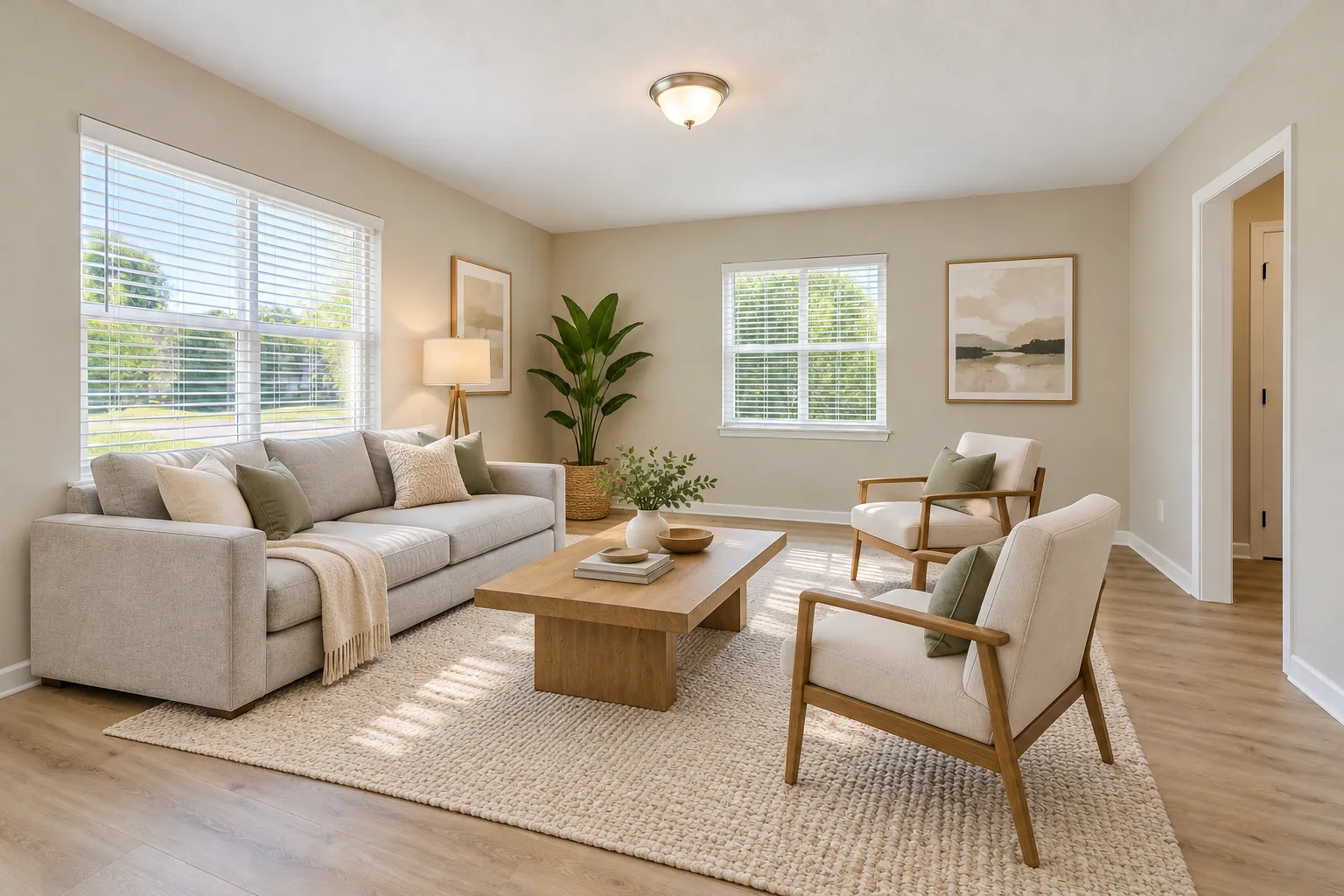
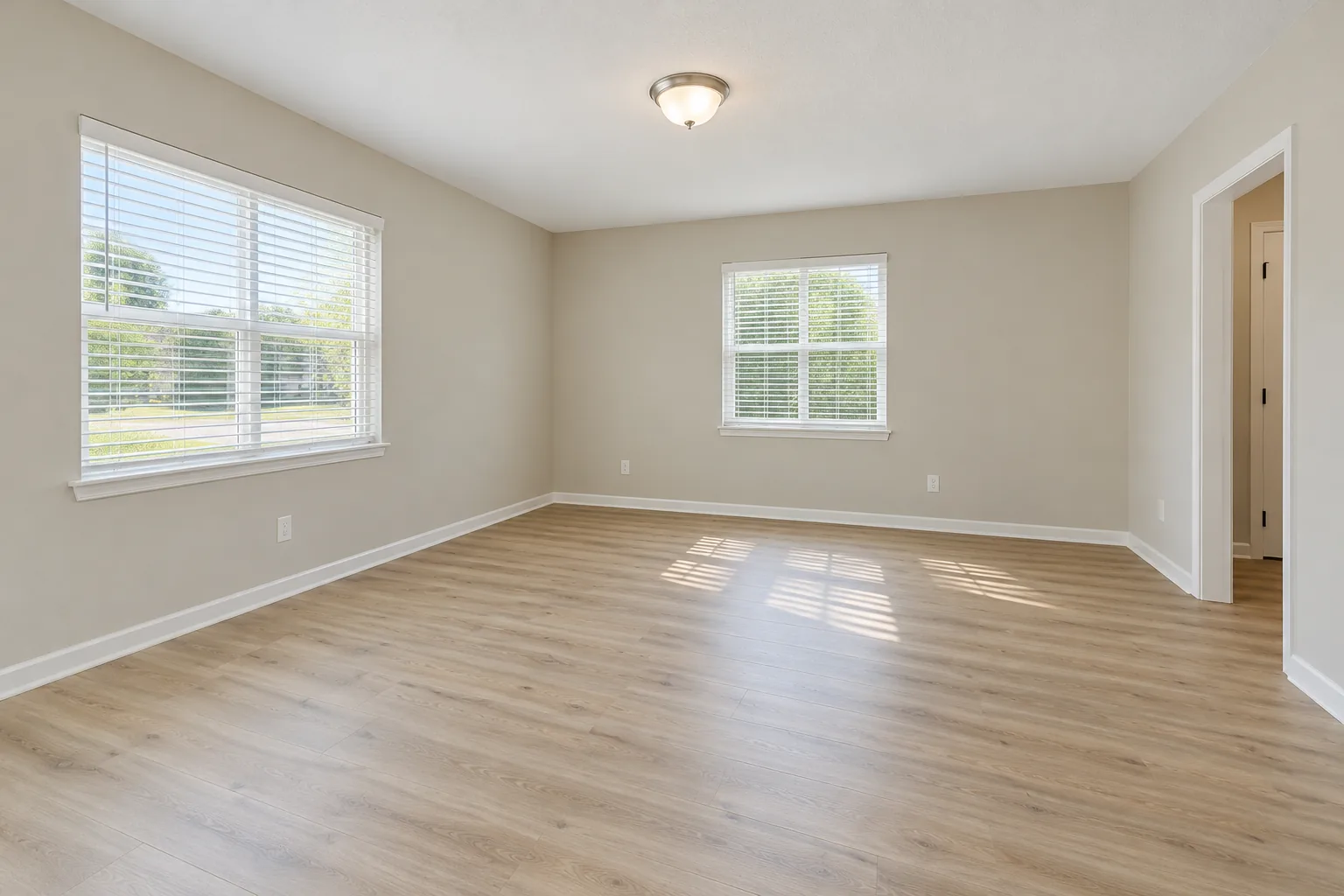 Examples created with AI
Drag the line to compare.Try Warm modern on my empty room
1 free design with Google sign-in, no card, while today's free designs last.
What this tool made from the same photo
The examples above were made for this page. These two weren't: we gave the empty room to the tool on this page, picked Modern and then Scandinavian at standard size, and this is what came back, unedited.
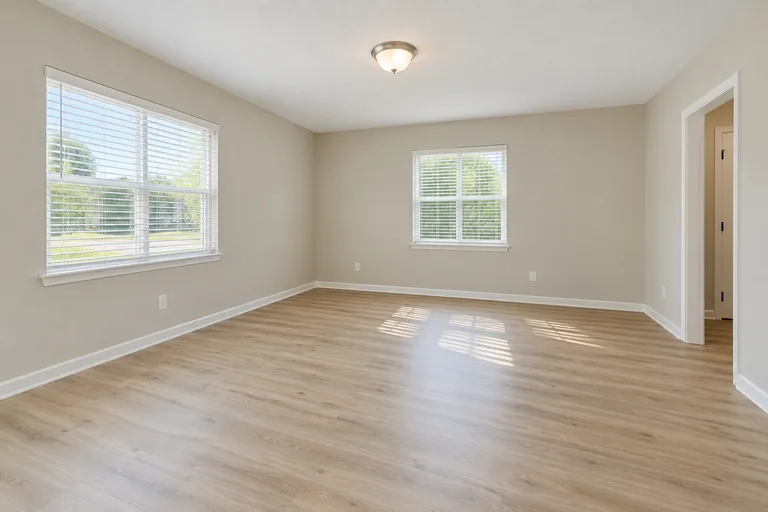 Before, created with AI
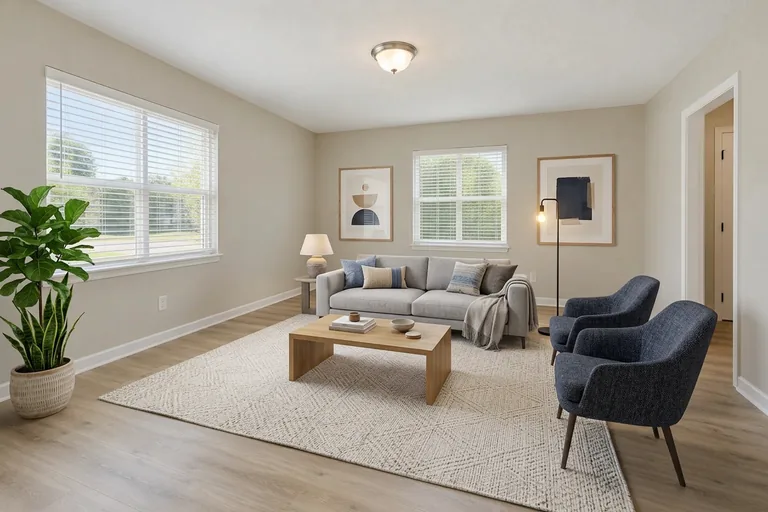 Made with this tool
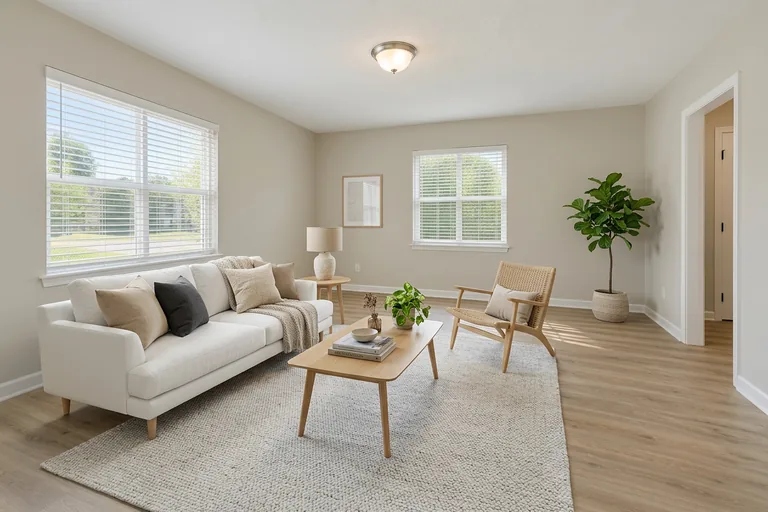 Made with this tool
Virtual staging for real estate listings
An empty room photographs small and cold. Buyers scrolling a listing can't tell where the sofa goes or whether a queen bed fits, so they move on. A staged photo answers that in a second, and it costs a few cents instead of a truck of rented furniture.
Stage the rooms that sell the house: the living room first, then the main bedroom and any room whose use isn't obvious. Pick one style for the whole listing so the rooms look like one home; the style should suit the buyers you expect, not your own taste.
Label it “virtually staged”
- Mark every staged photo as virtually staged, in the caption or on the photo.
- Keep an unstaged photo of the same room in the listing.
- Only add furniture and decor. Don't cover cracks, stains or damage, and don't change walls, floors or views.
- Check your MLS: many have their own rules for staged photos.
Stage your empty room
The room is set to an empty living room; pick Empty bedroom for a bedroom. Then a style, and Generate.
Your photo
Tip: stand in a doorway or corner and fit the whole room in one wide photo, floor to ceiling. Close-ups of one corner give odd results.
Style
Examples created with AI.
Size
about 1 megapixel · 1 credit
Your image will show up here.
Designs are made with OpenAI's GPT Image 2.5. The AI is asked to keep your walls, windows and camera angle. Compare the result with your photo before making real changes.
How to take the photo
- Shoot from a corner or a doorway so two walls and the windows are in the picture.
- Daylight, lights on, blinds open: a bright photo stages better than a dark one.
- Move boxes, ladders and cleaning things out first. What's in the photo tends to stay.
- One photo per room. Stage the living room first: it's the photo buyers look at longest.
Seven staging styles
Warm modern, Light Scandinavian, Transitional, Organic modern, Japandi, Mid-century modern, Modern cottage. Warm modern and light Scandinavian suit most buyers; transitional suits a classic house; Japandi and organic modern a calm, newer one. Rooms with furniture in them can be redesigned on the AI living room design page instead.
AI virtual staging FAQ
What is AI virtual staging?
Putting furniture and decor into a photo of an empty room with AI, so it looks lived in. Here you upload the photo, pick a style, and the same room comes back furnished, with the walls, windows, doors, ceiling light and floor left as they are.
Can I use virtually staged photos in a listing?
Yes, and agents do it every day, but say so. Label each staged photo as virtually staged, keep an unstaged photo of the same room in the listing, and never use staging to hide damage or change the room itself. Your MLS may have its own rules: check them before you publish.
Is there free virtual staging?
New accounts get 1 free design at standard size, with a small getairoomdesign.com mark: sign in with Google, no card needed, while the day's free designs last. After that, a staged photo takes 1 credit at 1K, 2 at 2K and 3 at 4K; the packs are $9.90 for 50 credits, $19.90 for 150 or $39.90 for 500, paid once.
How much does virtual staging cost per photo?
One staged photo at standard size takes 1 credit, so about 8 to 20 cents depending on the pack ($9.90 for 50 credits, $19.90 for 150 or $39.90 for 500). A sharper 2K or 4K file takes 2 or 3 credits.
Can it stage a room that still has furniture in it?
Staging is for empty rooms. For a furnished room, pick the room itself (living room, bedroom and so on) instead: the tool redesigns what's there.
More: the AI room design home page, AI interior design, the AI room decorator and the room visualizer for rooms that are already furnished, and pricing.