AI Christmas tree, tried in a photo of your own room
An AI Christmas tree in the room you already have: upload a photo of your living room, pick Christmas and the colors you like, and the same room comes back with a lit tree in the corner, your sofa, walls and floor kept.
1 free design with Google sign-in, no card, while today's free designs last.
Your photo
Tip: stand in a doorway or corner and fit the whole room in one wide photo, floor to ceiling. Close-ups of one corner give odd results.
Style
Examples created with AI.
Size
about 1 megapixel · 1 credit
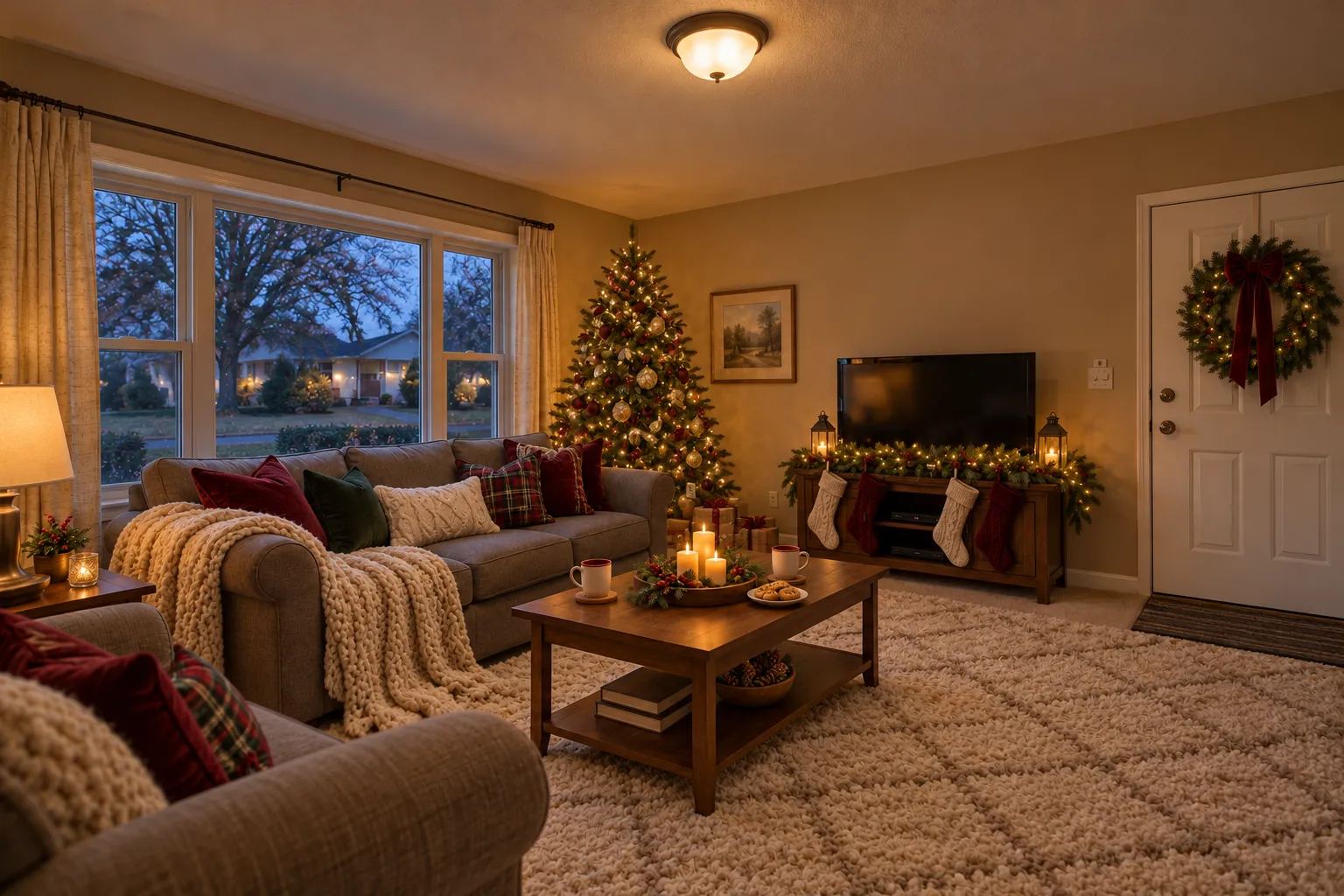
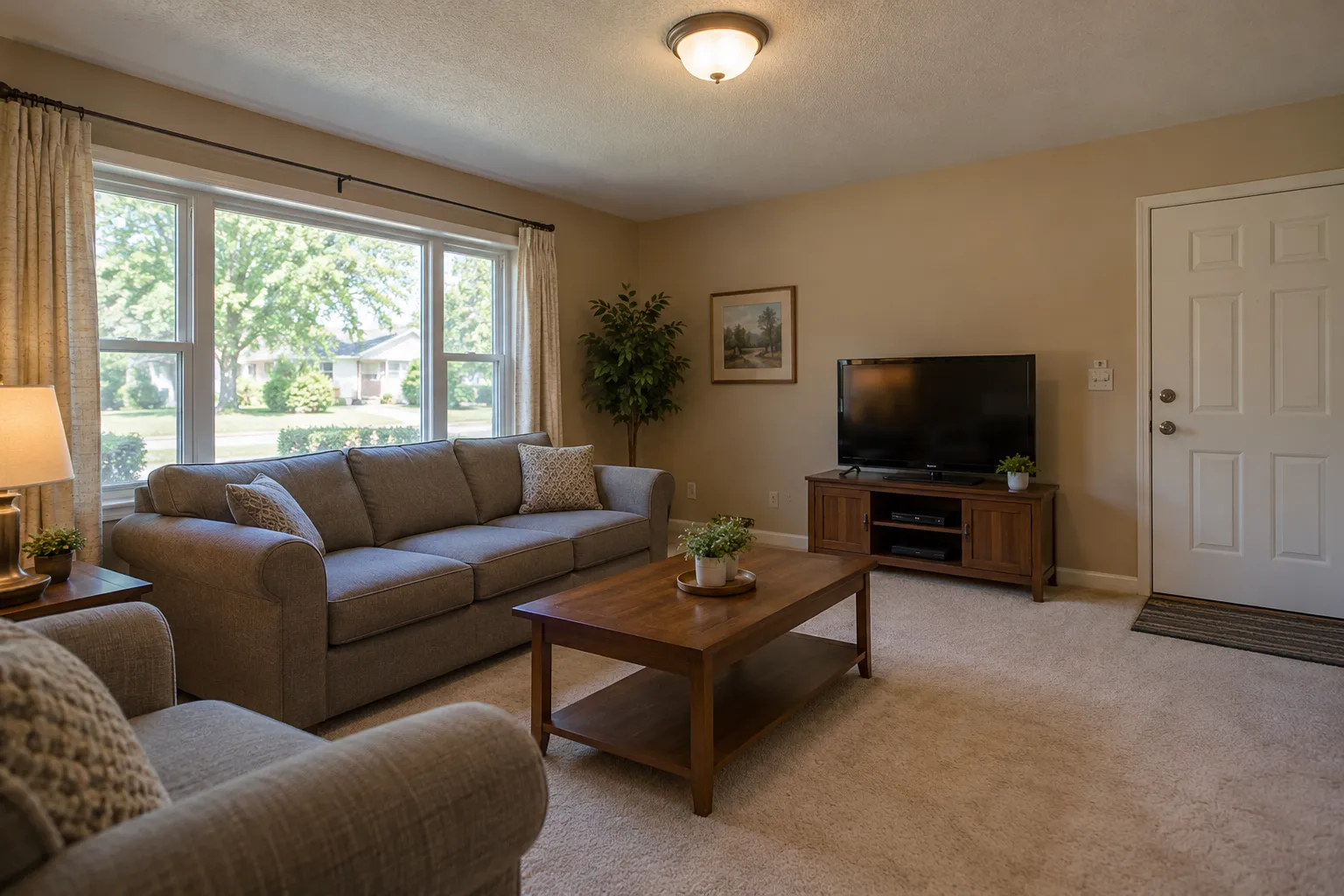 Before
Example: the living room before, and with a Christmas tree in the corner. Created with AI.
Your own image will show up here.
Designs are made with OpenAI's GPT Image 2.5. The AI is asked to keep your walls, windows and camera angle. Compare the result with your photo before making real changes.
What size Christmas tree fits your room?
Pick your ceiling height and type the width of the corner. You get the tallest tree to buy and whether a full, slim or pencil tree fits, then one click shows that tree in a photo of your own room.
The tallest tree: 7 ft, which leaves a foot for the stand and the topper.
- Full, about 55 in wide: fitsSee it in my room
- Slim, about 42 in wide: fitsSee it in my room
- Pencil, about 28 in wide: fitsSee it in my room
Measure the corner at floor level, where the bottom branches spread. The box gives each tree's exact width: makers differ by a few inches.
One living room, three Christmas trees
All three started from the same photo of an ordinary living room. Only the tree and the decorations changed: the sofa, the walls, the window and the floor are the ones in the photo.
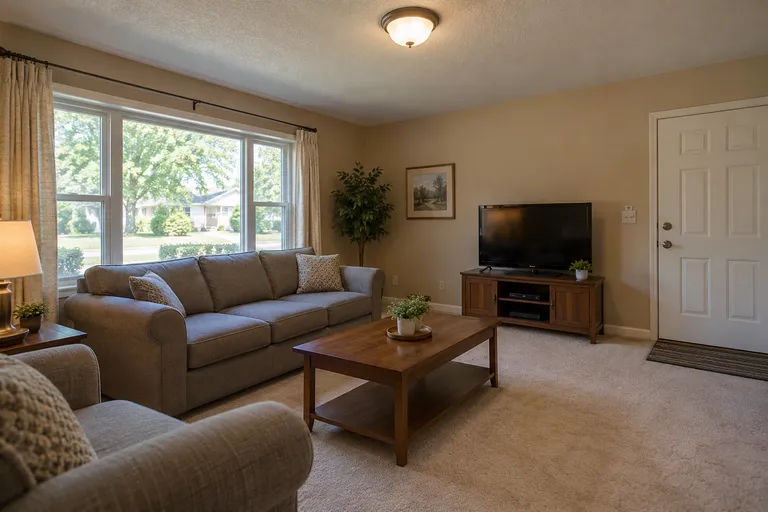 Example photo, created with AI
Before
The living room with no tree
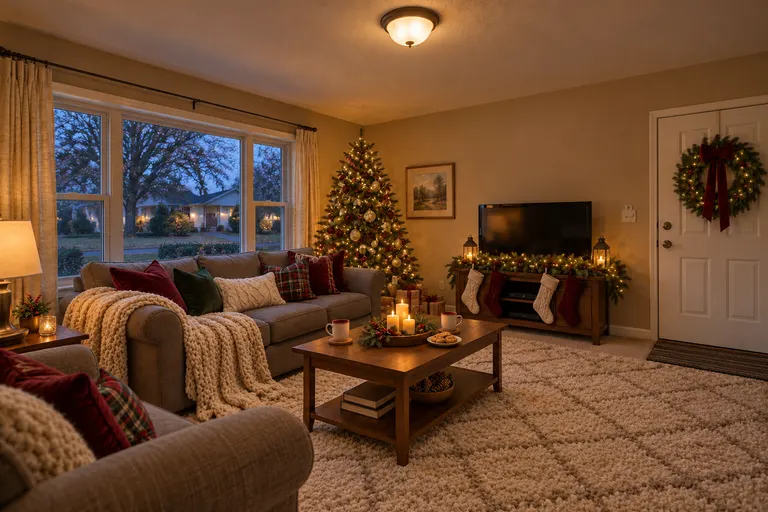 Example design, created with AI
Christmas living room
A lit tree in the corner · Burgundy, green and tartan · Stockings on a garland
Try this tree in my room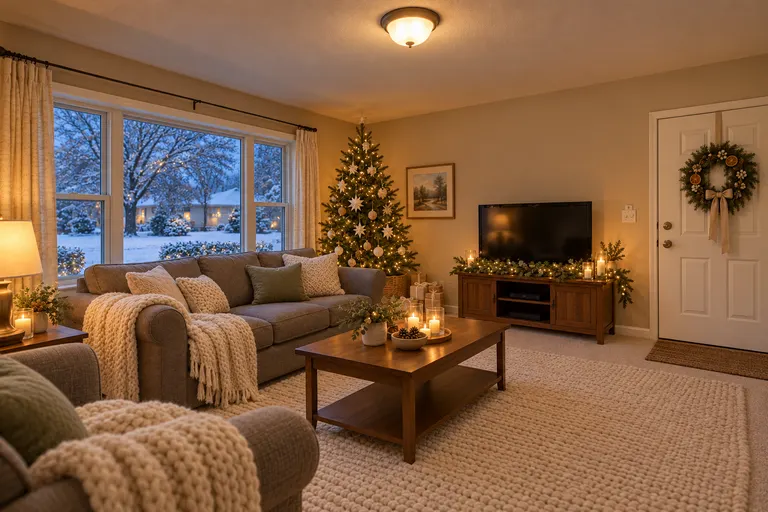 Example design, created with AI
Neutral Christmas
White and wood ornaments · Paper stars · No red at all
Try this tree in my room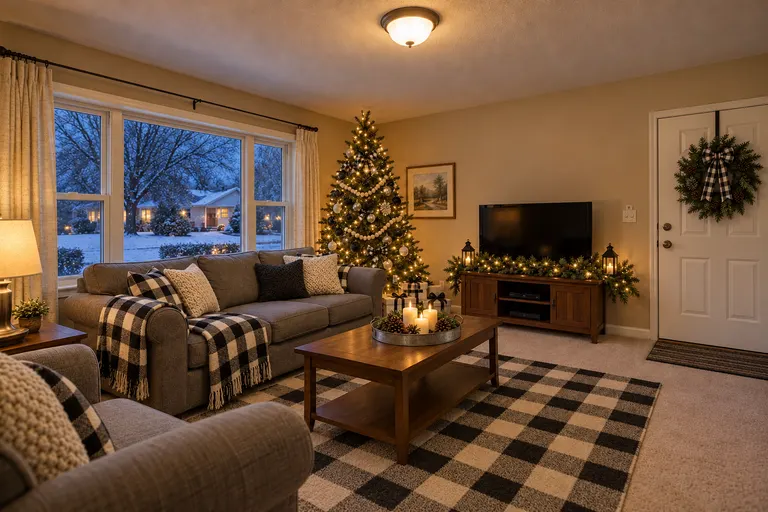 Example design, created with AI
Buffalo check Christmas
Black and white check · A wood bead garland · Black lanterns
Try this tree in my room
Design your Christmas tree's colors
Pick Christmas in the tool, then one of these colors. The ornaments, ribbons, tree skirt and cushions come in those colors; the tree stays natural green. A design takes 1 credit at 1K, 2 at 2K and 3 at 4K.
Classic
Burgundy, green and tartan
Try classic in my roomWarm neutrals
Ivory, cream, oatmeal, champagne and antique gold
Try warm neutrals in my roomBlack and white
Buffalo check, crisp white, matte black and silver
Try black and white in my roomNavy blue
Navy, silver, white and pale blue
Try navy blue in my roomSage green
Sage, eucalyptus, cream and brushed gold
Try sage green in my roomTerracotta
Terracotta, rust, cream and copper
Try terracotta in my roomLight wood
Light wood, white, cream and natural linen
Try light wood in my roomDark wood
Dark walnut, deep green, cream and antique brass
Try dark wood in my roomMarble
White, gray and silver, with white marble trays
Try marble in my room
Add a Christmas tree to a photo, and nothing else
Want only the tree, or a white, flocked or tabletop one? Switch the tool to Custom and describe it: the size, the lights, the ornaments and where it goes. The AI is asked to keep the walls, the windows, the doors and the camera angle. A design in your own words takes 2 credits at the standard size.
Start from one of these
- Add a tall Christmas tree with warm white lights and gold ornaments in the empty corner
- Add a slim flocked Christmas tree with silver and pale blue ornaments next to the window
- Add a small tabletop Christmas tree with red ornaments on the side table
Each one opens the tool with the words filled in. Change them before you generate.
Before you buy the tree
Used as a Christmas tree visualizer, the tool shows how a tree would look in your corner before you buy one. The picture shows the look, not the size: the AI draws a tree that fits the photo, without measuring the room.
- Measure the ceiling. Leave room above the tree for the topper, so a tree a little shorter than the ceiling fits.
- Measure the floor. The bottom branches spread wide, so check the corner's width as well as its height.
- Find an outlet nearby, so the lights don't need a cord across the walkway.
- Keep the tree away from fireplaces, radiators and heat vents, and water a real tree every day.
An AI Christmas tree generator for your own room
A generator that draws a tree on its own shows you a pretty tree. It can't show whether a full tree crowds your corner, or whether red ornaments clash with your sofa. Seeing it in a photo of your room answers both. For the rest of the house, the AI Christmas decorations page decorates the bedroom, kitchen and bathroom too, the Christmas light design app puts lights on the outside of the house, Christmas mantel ideas dresses the fireplace beside the tree, and the AI room decorator restyles the room the rest of the year.
AI Christmas tree FAQ
Is there an AI that puts a Christmas tree in my room?
Yes, this one. Upload a photo of your living room and pick Christmas: the same room comes back with a lit tree in an empty corner, a garland, cushions and candles, and your furniture, walls and floor stay as they are.
Can I add a Christmas tree to a photo without changing anything else?
Yes: switch the tool to Custom and describe only the tree, for example "Add a tall Christmas tree with warm white lights and gold ornaments in the empty corner". A design in your own words takes 2 credits at the standard size.
Can I design my Christmas tree's colors?
Yes. Pick Christmas, then a color, such as navy blue, sage green, black and white or warm neutrals, and the ornaments, ribbons, skirt and cushions come in those colors. The tree itself stays natural green. For a white or flocked tree, write it in Custom.
How is this different from an AI Christmas tree generator?
A generator draws a tree on its own. This one draws it in a photo of your own room, next to your sofa and your window, so you can see whether the size, the colors and the corner work before you buy.
Is this a Christmas tree visualizer?
Yes. Upload a photo of the room where the tree will go and see how a tree looks there, in the colors you pick, before you buy one. It shows the look, not the size, so measure the corner too.
Can it tell me what size tree to buy?
Yes, with the size check near the top of this page: choose the ceiling height and type the corner's width, and it gives the tallest tree that leaves a foot for the stand and the topper, and whether a full, slim or pencil tree fits. On an 8 ft ceiling that's a 7 ft tree, about 55 inches wide if it's full. The AI picture itself doesn't measure, so use the numbers to buy and the picture to choose the look.
Does it work in other rooms?
Yes. The bedroom gets a tree by the window and a garland on the headboard, the kitchen and the bathroom a small tree on the counter or the vanity. For lights on the outside of the house, see the Christmas light design app.
How much does it cost?
New accounts get 1 free design at standard size, with a small getairoomdesign.com mark: sign in with Google, no card needed, while the day's free designs last. After that, one design takes 1 credit at 1K, 2 at 2K and 3 at 4K, and the packs are $11.90 for 35 credits or $32.90 for 125, paid once with no subscription.
More: the AI room design home page, AI living room design and pricing.