Exterior house color visualizer for a photo of your own house
An exterior house color visualizer that works on your house, not a stock photo: upload one picture of the front, pick a ready-made color scheme or write the colors you have in mind, and the same house comes back repainted in about a minute.
1 free design with Google sign-in, no card, while today's free designs last.
Your photo
Tip: stand across the street in daylight and fit the whole front and the roofline in one photo.
Style
Examples created with AI.
Size
about 1 megapixel · 1 credit
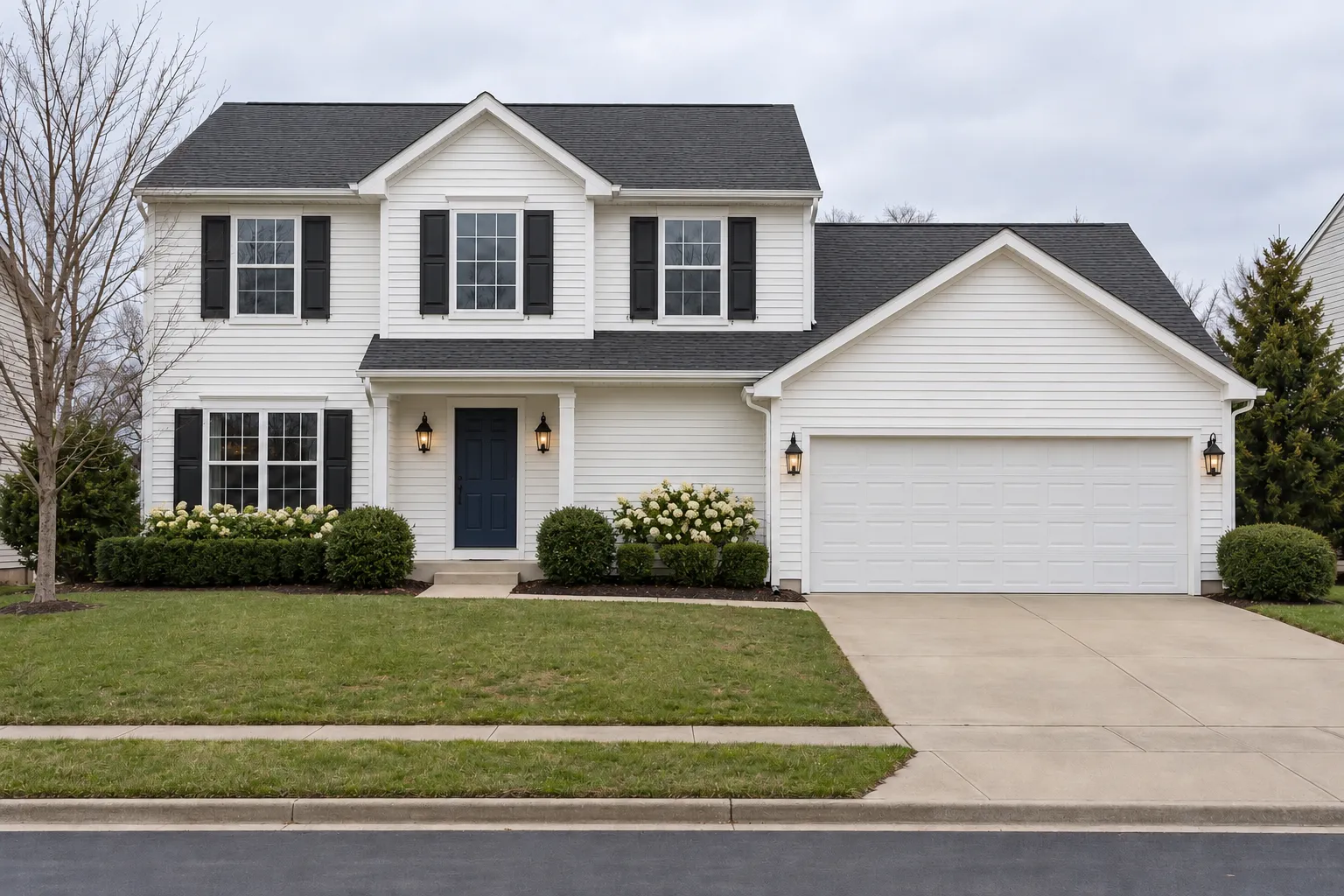
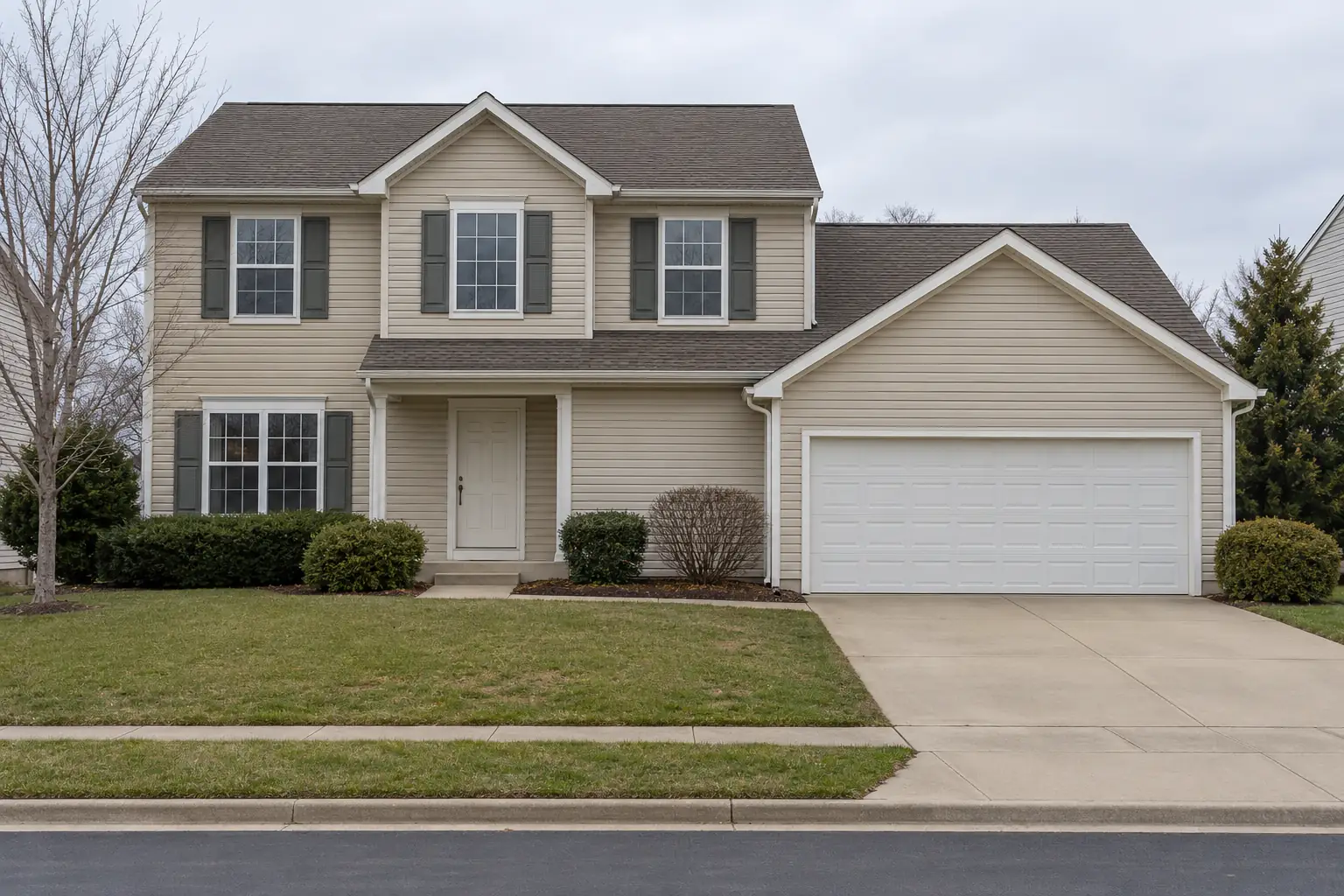 Before
Example: beige siding before, and white with black shutters and a navy door. Created with AI.
Your own image will show up here.
Designs are made with OpenAI's GPT Image 2.5. The AI is asked to keep your walls, windows and camera angle. Compare the result with your photo before making real changes.
One house in 7 color schemes
This is the AI house color visualizer at work: every picture started from the same photo of a house with beige vinyl siding. Each scheme is one of the tool's house styles, so besides the paint it can also change the siding's look, the shutters, the lights and the planting by the house; the shape, the roofline, the windows and the driveway stay.
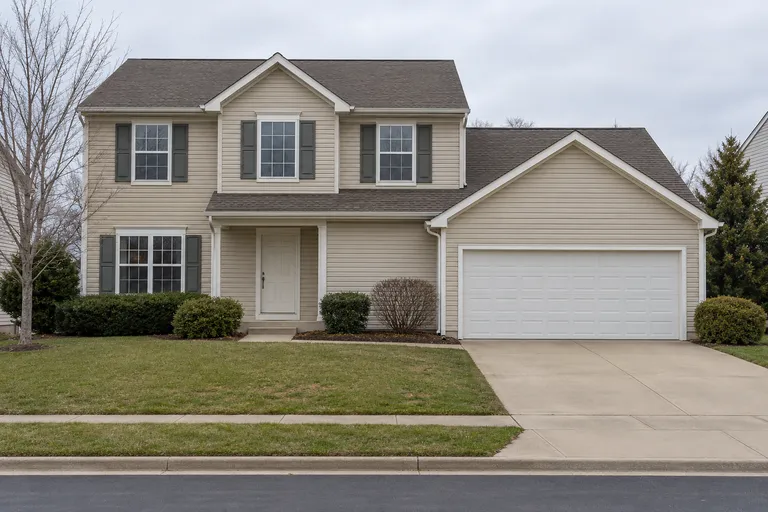 Example photo, created with AI
Before
Beige siding, dark shutters and a white door
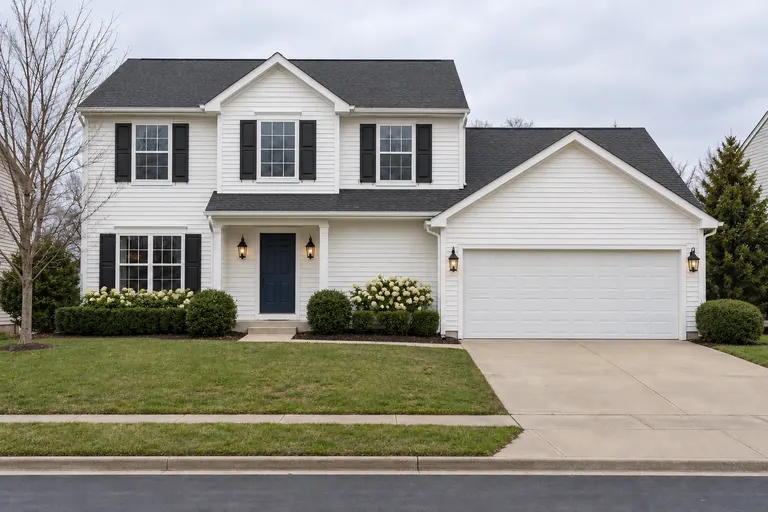 Created with AI
Traditional
White siding, black shutters and a navy front door
Try this scheme on my house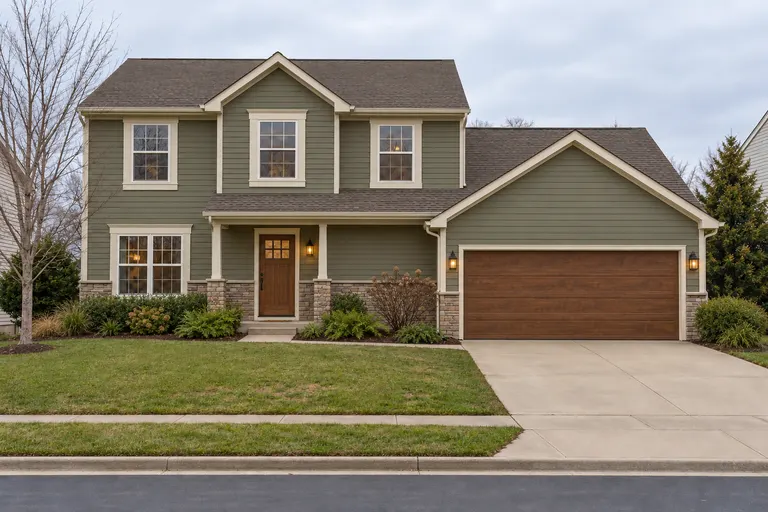 Created with AI
Craftsman
Sage green siding, cream trim and a stained wood door
Try this scheme on my house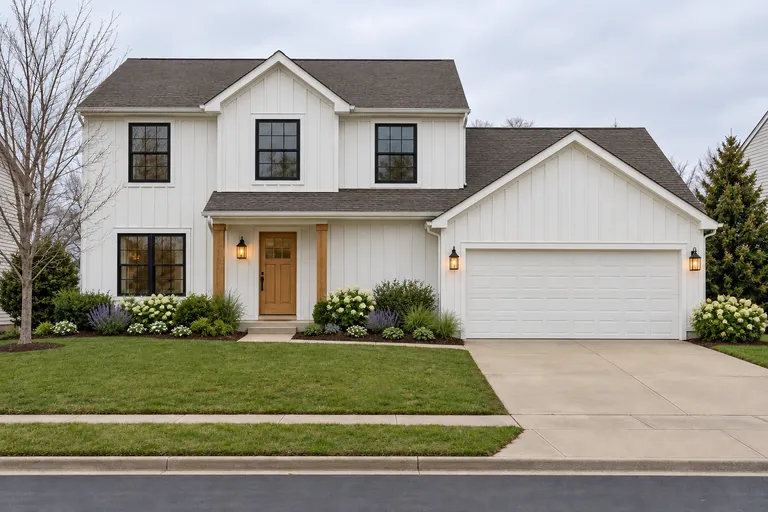 Created with AI
Farmhouse
White board-and-batten, black window frames and wood posts
Try this scheme on my house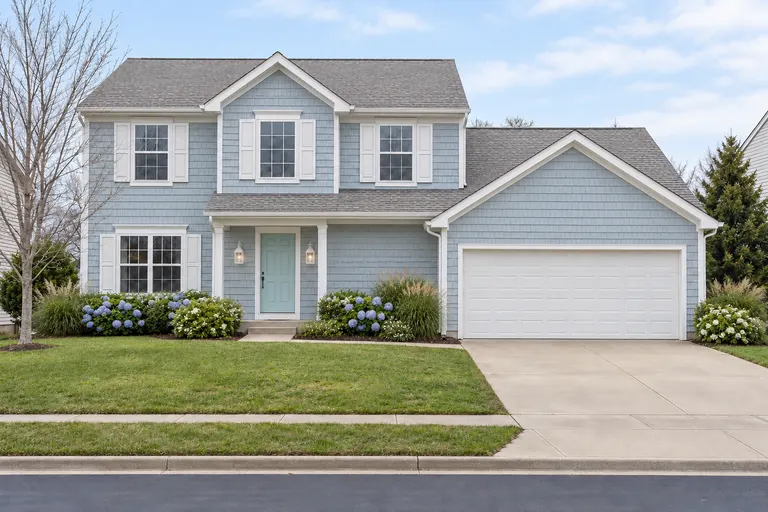 Created with AI
Coastal
Pale blue shingles, white shutters and an aqua door
Try this scheme on my house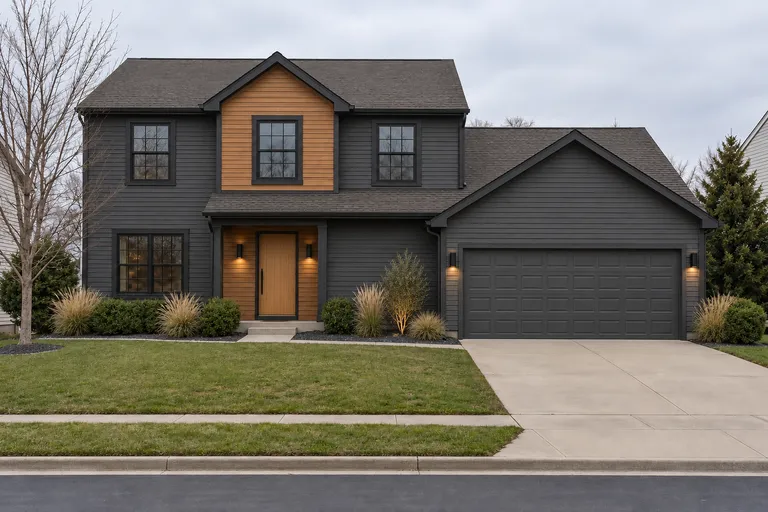 Created with AI
Contemporary
Charcoal siding with natural wood
Try this scheme on my house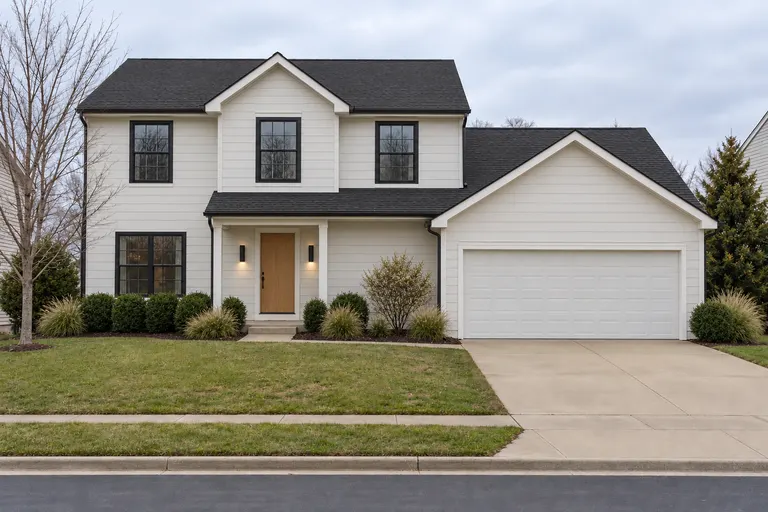 Created with AI
Modern
Warm white siding, black window frames and a wood door
Try this scheme on my house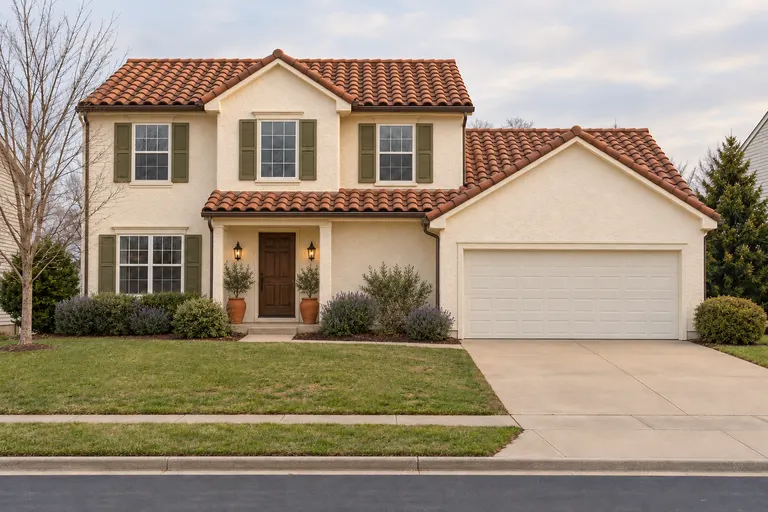 Created with AI
Mediterranean
Cream stucco, a terracotta roof and olive green shutters
Try this scheme on my house
Example designs, created with AI.
Try your own colors
Have colors in mind already? Switch the tool to Custom and say what goes where: the siding, the trim, the front door, the shutters. Name colors the way you'd describe them to a friend, like warm white, deep navy or sage green; the AI paints from the description, not from a paint maker's color code.
The AI is asked to keep the house's shape, roofline, windows, doors, garage, lawn and driveway. A design in your own words takes 2 credits at the standard size.
Siding color combinations to start from
- Paint the siding deep navy, the trim white and the front door red
- Paint the siding warm white and the trim and window frames black, with a natural wood front door
- Paint the siding charcoal gray with white trim and a mustard yellow front door
- Paint the siding soft greige with white trim and black shutters
- Paint the siding dark green with cream trim and a natural wood front door
Each one opens the tool with the words filled in. Change them before you generate.
How to choose exterior colors
01
Start from what stays
The roof, any brick or stone and the driveway are expensive to change. Pick siding and trim colors that work with them, not against them.
02
Three colors are enough
One for the siding, one for the trim and window frames, and one accent for the front door or shutters. More than that tends to look busy from the street.
03
Look along the street
A house is seen next to its neighbors. Check your HOA's rules too: some only allow colors from an approved list.
04
Test a real sample
Paint looks lighter and brighter outside than on a small chip. Brush a large sample on the north and south sides and look at it in the morning and the evening before you buy.
An exterior design visualizer for paint, siding, the roof or the whole front
Most exterior design visualizers come from a company that makes one thing, so they show its own siding or its own roofing, and some email the result days later. This one redraws the front of your house in about a minute, whatever you're changing. Find the card for your project.
Paint colors only
Here: Custom, with just the siding, trim and door colors in your words.
Then: Take the picture to the paint store and hold their chips against it.
Siding material
Here: A ready-made style: it changes lap siding, board-and-batten or shingles along with the colors.
Then: Pick the exact product and color name in the siding maker's own visualizer or a showroom.
Roof color
Here: Custom, for example "Make the roof charcoal gray and keep everything else".
Then: Hold roofing samples against your brick or stone in daylight.
The whole front
Here: Every house style: siding, trim, front door, lights and planting change together.
Then: Show the picture to a contractor to price what's in it.
AI exterior house design
What it can and can't do
It can
- Show new siding, trim, shutter and front door colors on a photo of your own house.
- Put two or three schemes side by side, so you can choose before you buy samples.
- Try a whole new look, like a craftsman or modern farmhouse front, when paint alone isn't enough.
It can't
- Match a paint maker's exact color or code. Screens and daylight change how colors look, too.
- Measure the house or tell you how much paint to buy.
- Promise the same result twice: each design is drawn fresh, so try again if one misses.
Want more than color? The AI exterior house design page has every house style, and the same tool puts Christmas lights on the house. Behind the house, try a xeriscape or another style on the AI landscape design page.
Exterior house color visualizer FAQ
Is there an app to see paint colors on my own house?
Yes, this one works in the browser with nothing to install. Upload a photo of the front of your house, pick a color scheme or write the colors you want, and the same house comes back repainted, with the shape, the roofline, the windows, the lawn and the driveway kept.
Can I try an exact paint color from a brand?
Not by its name or code: the AI paints from a description, like warm white, deep navy or sage green, and it can't match a paint maker's chip exactly. Use the picture to choose the direction, then ask the paint store for samples of the colors closest to it.
How do I try my own colors?
Switch the tool to Custom and say what goes where, for example "Paint the siding deep navy, the trim white and the front door red". A design in your own words takes 2 credits at the standard size.
Is there a free siding visualizer for my house?
Yes, for a first design here. New accounts get 1 free design at standard size, with a small getairoomdesign.com mark: sign in with Google, no card needed, while the day's free designs last. Siding makers' own visualizers are free too, but each one shows only that maker's products and colors; this one paints any siding color combination you can describe, on a photo of your own house.
Will it change more than the paint?
A ready-made scheme can: each one is a house style, so besides the colors it may change the siding's look, the shutters, the outside lights and the planting by the house. If you only want new colors, write them in Custom and add "keep everything else as it is".
Can I see my brick house painted?
Yes: in Custom, write something like "Paint the brick white and the shutters black". Painted brick is hard to undo, so it's worth seeing on your own house before you decide.
Can I show it to my HOA or a painter?
Yes, as a picture of what you have in mind. An HOA will usually still want the paint samples, and a painter will still measure the house to price the job.
What photo works best?
The whole front of the house from across the street, on a bright, overcast day so no shadows hide the siding, phone held sideways. Move cars out of the driveway if you can.
How much does it cost?
A ready-made scheme takes 1 credit at 1K, 2 at 2K and 3 at 4K; colors in your own words take at least 2. The packs are $11.90 for 35 credits or $32.90 for 125, paid once with no subscription.
More: the AI room design home page, AI home design for the whole house and pricing.