AI exterior house design from a photo of your home
AI exterior house design online, from one photo of your house: new siding, colors, trim and a front door outside, new furniture, floors and colors inside, done by AI in about a minute with the roofline and windows kept.
1 free design with Google sign-in, no card; after that a standard design costs 26 to 34 cents, paid once.
Inside too: Living room · Bedroom · Kitchen · Bathroom
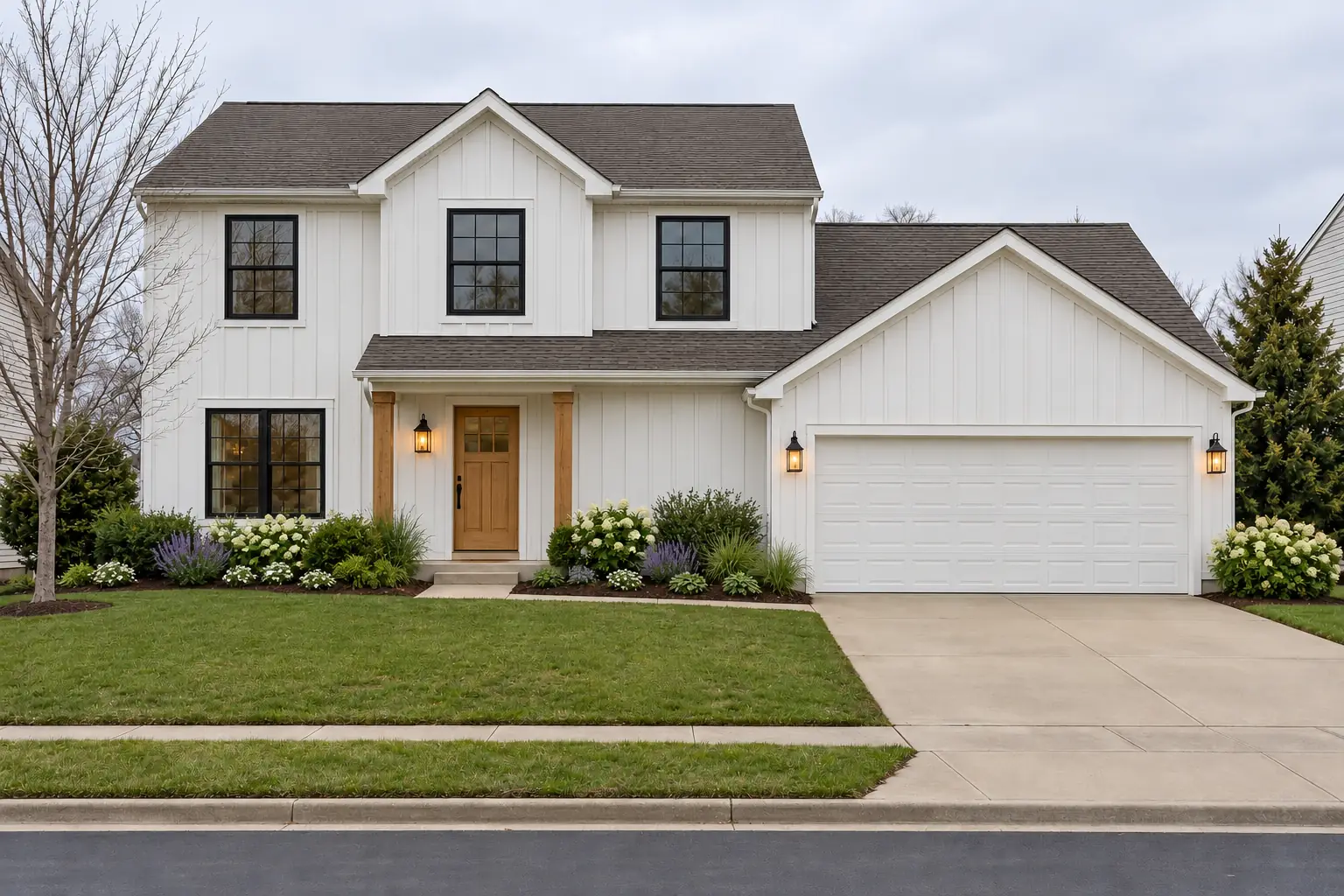
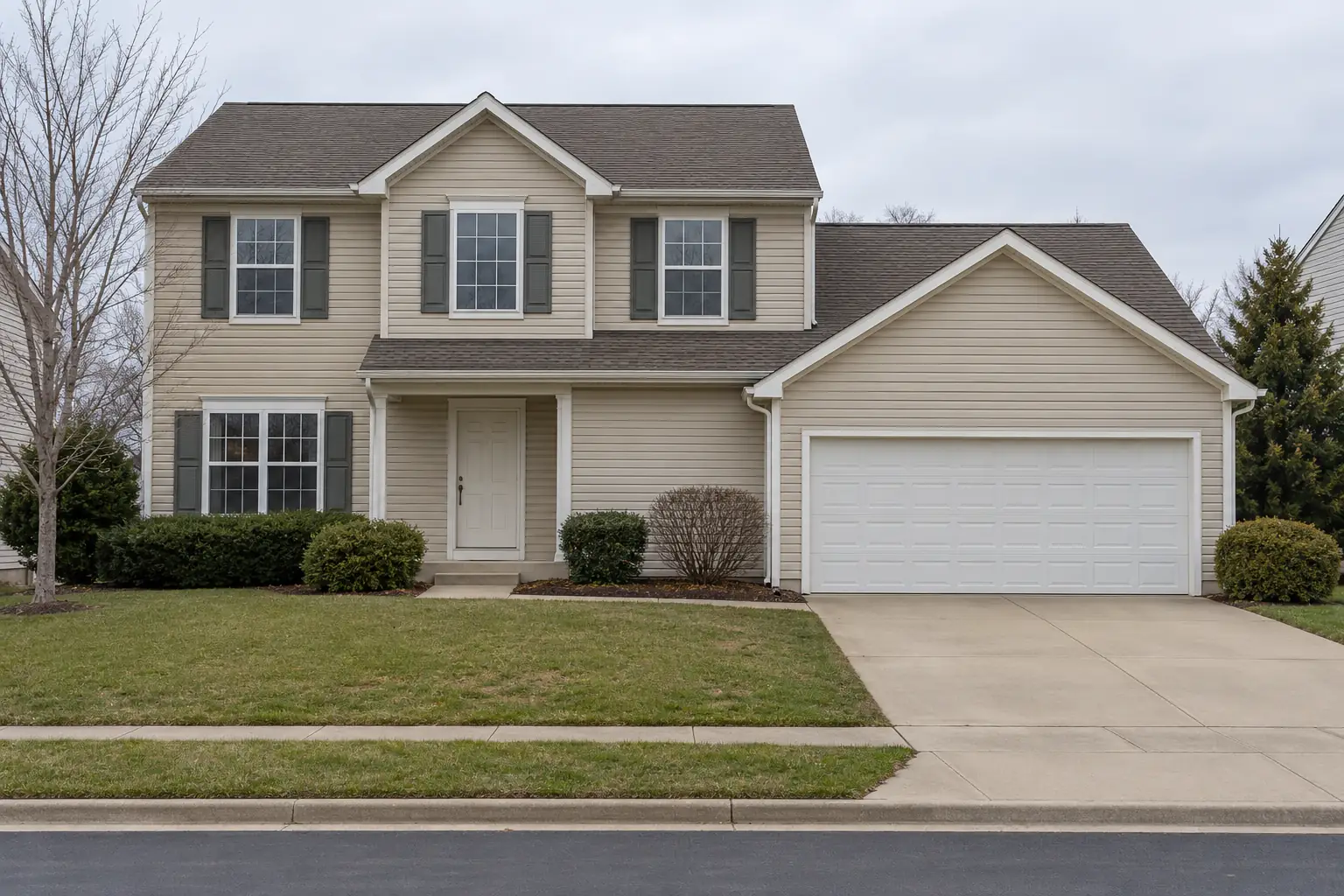 Examples created with AI
Drag the line to compare.Try Farmhouse on my house
Try exterior design AI on your own house
Your photo
Tip: stand across the street in daylight and fit the whole front and the roofline in one photo.
Style
Examples created with AI.
Size
about 1 megapixel · 1 credit
Your image will show up here.
Designs are made with OpenAI's GPT Image 2.5. The AI is asked to keep your walls, windows and camera angle. Compare the result with your photo before making real changes.
AI exterior house design ideas: one house in 7 styles
Every picture starts from the same photo of one ordinary house, so only the style changes. Find the one you'd want to live with, and try it on yours.
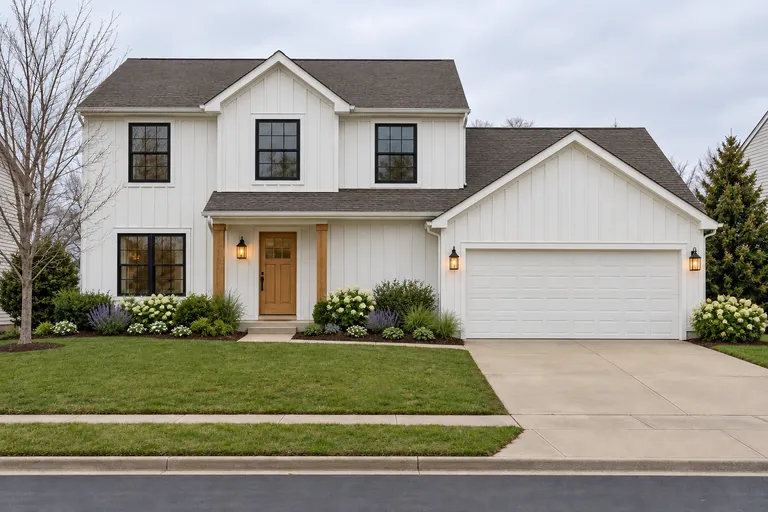 Created with AI
Farmhouse
White board-and-batten · Black window frames · Wood porch posts
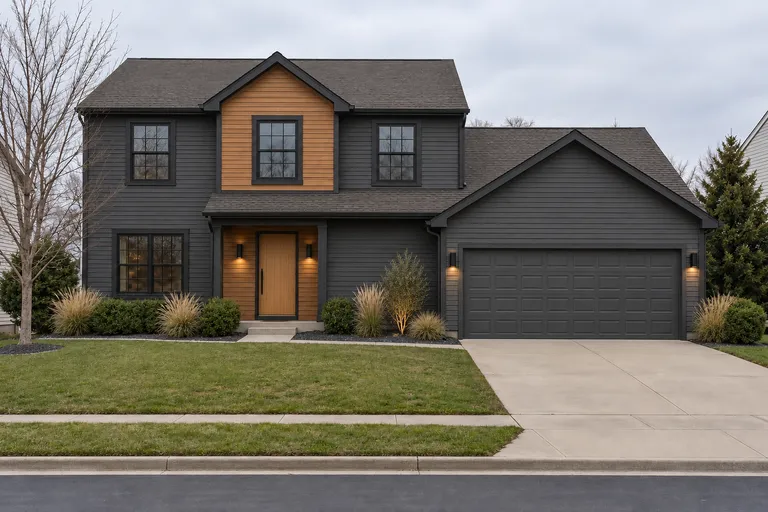 Created with AI
Contemporary
Charcoal siding · Natural wood accents · Ornamental grasses
 Created with AI
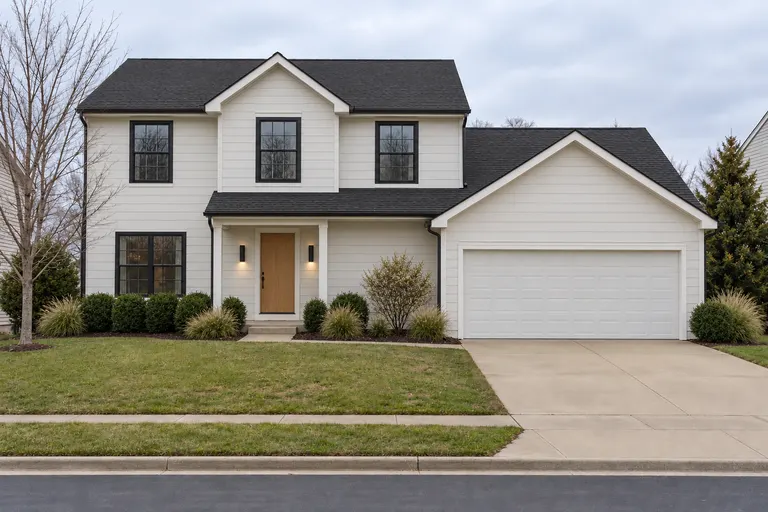
Modern
Warm white siding · Black window frames · Flat wood front door
 Created with AI
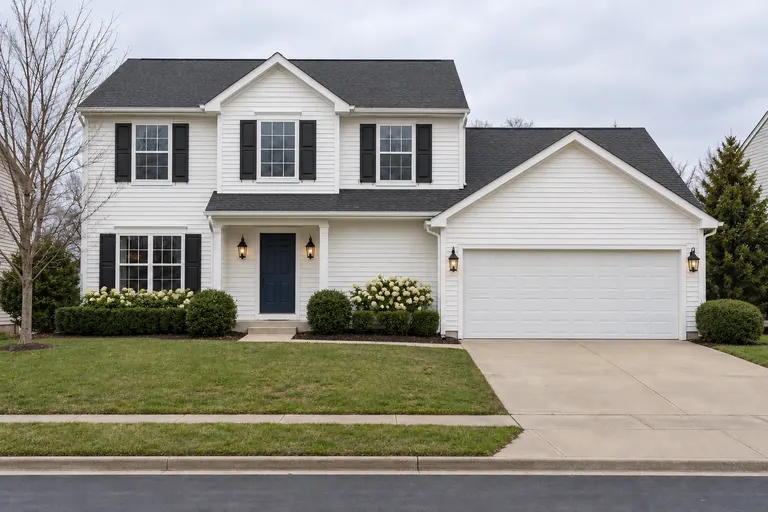
Traditional
White lap siding · Black shutters · Navy front door
 Created with AI
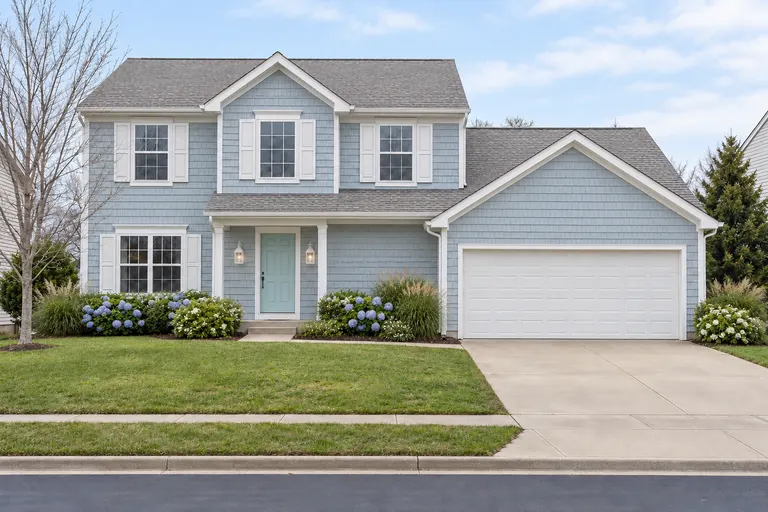
Coastal
Pale blue shingles · White shutters · Aqua front door
 Created with AI
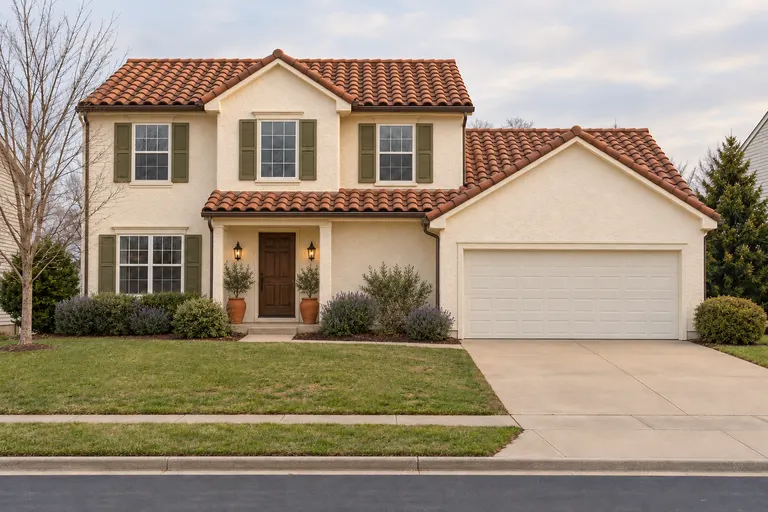
Mediterranean
Cream stucco · Terracotta roof tiles · Potted olive trees
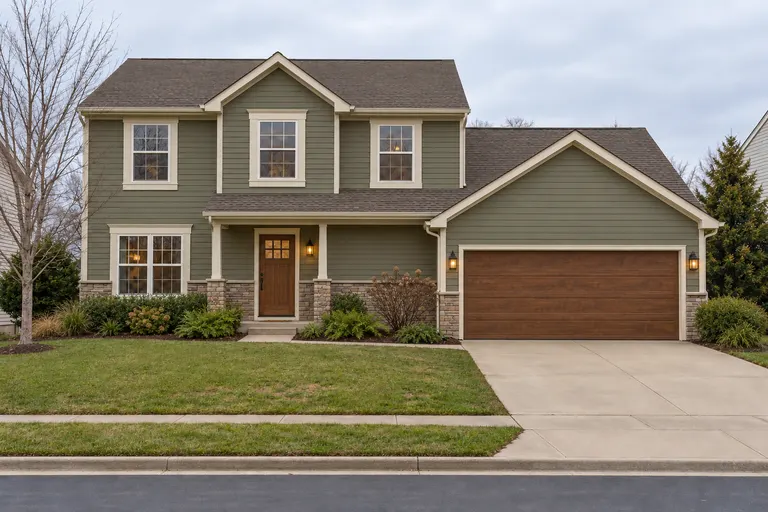 Created with AI
Craftsman
Sage green siding · Stone base · Stained wood doors
Put Christmas lights on your house
See the lights on your own house before you climb a ladder. Pick Christmas in the tool and the same photo comes back at dusk with warm white lights on every roofline, a lit garland around the front door and wreaths in the windows. Color lights hangs multicolor bulbs and candy cane path lights instead; Snowy Christmas adds icicle lights and a fresh layer of snow.
Only the lights and decorations are new: the siding, the windows, the garage and the driveway stay as they are.
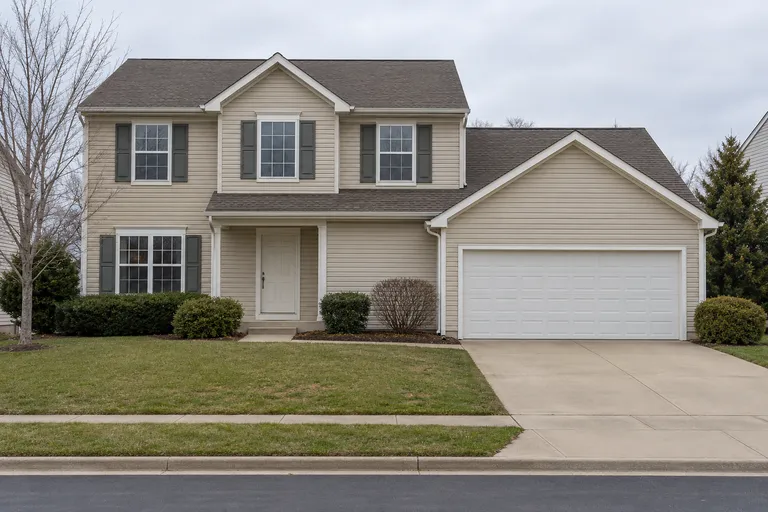 Before, created with AI
The house before
An ordinary 1990s two-story house on a gray afternoon
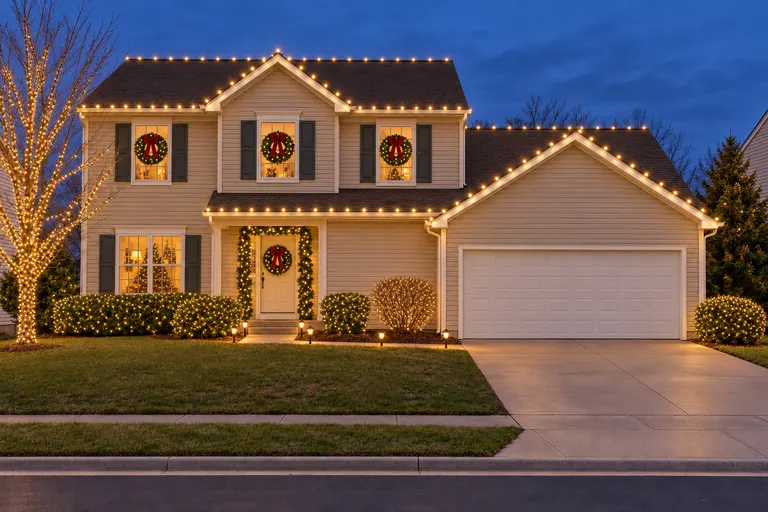 Created with AI
Warm white lights
Lit rooflines · Wreaths in the windows · Lit shrubs and path lights
Try these lights on my house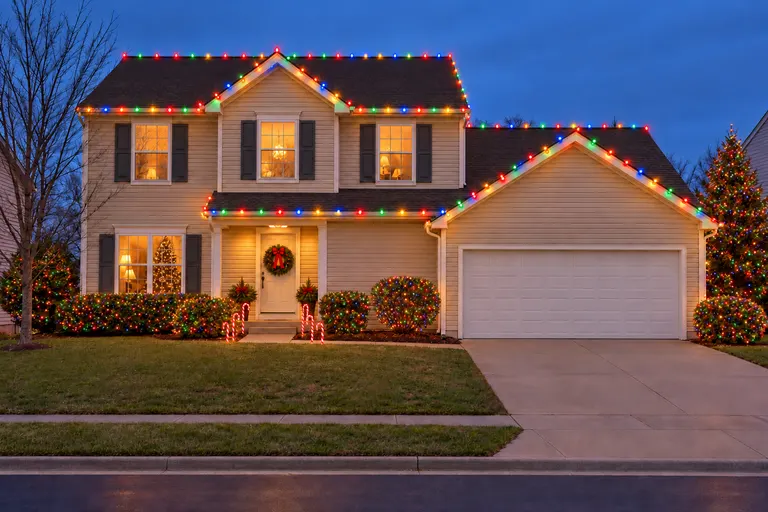 Created with AI
Multicolor lights
Multicolor bulbs · Lit evergreens · Candy cane path lights
Try these lights on my house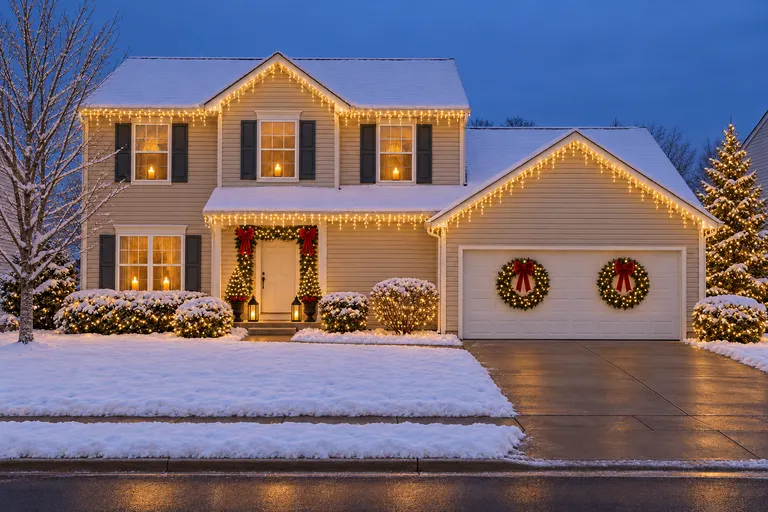 Created with AI
Snowy Christmas
Warm white icicle lights · Wreaths on the garage · Candles in the windows
Try these lights on my house
Before you hang them
- Measure each roofline you want to light, in feet, plus the run to the nearest outdoor outlet, before you buy.
- Use lights and extension cords rated for outdoor use, plugged into a GFCI outlet.
- Hang them with plastic gutter and shingle clips, not nails or staples.
- Put them on a timer, so they come on at dusk and go off at bedtime.
- Pick one color for the rooflines and keep the shrubs and trees to match.
Decorating inside too? See AI Christmas decorations for the living room, bedroom, kitchen and bathroom.
Example designs, created with AI.
Exterior home AI design: what to try first
Most people come to AI house exterior design with one question: what would my house look like in another color? Start with the style closest to the house you have, farmhouse for a two-story with a porch, craftsman for a bungalow, modern for a plain box, and see the siding, trim, door and lights change together.
Then try one you'd never have picked. A house exterior AI design in an unexpected style often shows what you actually like: black window frames, a natural wood door or a stone base. That one detail is often the cheapest change to make for real.
Front door AI: a new door that suits the house
The front door is the smallest change with the biggest effect on the front of a house. Every style here gives the house a door to match it: a navy paneled door on a traditional house, flat natural wood on a modern one, a stained craftsman door with small glass panes at the top.
Put two or three designs side by side and look at the doors alone. Then take the one you like to a paint store: a new door color is a weekend's work.
AI front of house design, from the photo you already have
AI front of house design starts from the view everyone sees first: your house from the street. The AI redraws the siding, the trim, the front door, the outside lights and the planting in the beds by the house, and keeps the roofline, the windows, the garage and the driveway where they are.
That's what most people want from AI house design outside: not a new house drawn from a description, but their own house in a new look, to compare before they paint or replace anything. If it's only the paint colors you want to change, try the exterior house color visualizer.
Interior and exterior home design, with one tool
Interior and exterior home design work the same way here: one photo, one style, and the same house or room comes back in a new look. Switch the tool on this page from House front to Interior, pick the living room, a bedroom, the kitchen or the bathroom, upload a photo taken inside, and the furniture, floors and colors change while the walls and windows stay.
Doing both is how a house hangs together. Settle the style of the front first, then try the closest one inside, so a modern farmhouse front leads into a farmhouse kitchen rather than a Japandi one. The backyard has its own styles on the landscape design page.
Styles that suit a house exterior
Farmhouse
White board-and-batten, a black roof and a covered porch.
Contemporary
Stone, wood and dark metal with big windows.
Modern
Smooth light siding, dark window frames and a simple front door.
More for your house: Exterior house color visualizer.
Interior design styles
- Japandi interior design
- Art Deco interior design
- Mid-century modern interior design
- Minimalist interior design
- Boho interior design
- Industrial interior design
- Traditional interior design
- Coastal interior design
- French country interior design
- Scandinavian interior design
- Organic modern interior design
- Transitional interior design
- Mediterranean interior design
How to take the photo
- Stand across the street so the whole house fits, roof included.
- Shoot on a bright, overcast day so no shadows hide the front.
- Move cars and bins out of the way if you can.
What it costs
One design takes 1 credit at 1K, 2 at 2K and 3 at 4K. The packs are $11.90 for 35 credits or $32.90 for 125, paid once, with no subscription, and credits don't expire. See pricing.
House exterior design FAQ
What does AI home exterior design change?
The siding and its color, the trim, the shutters, the front door, the garage door's finish, the roof's color, the outside lights and the planting in the beds by the house. It keeps the house's shape, the roofline, the windows, the doors and the camera angle, and leaves the lawn, the driveway and the walkway as they are.
Can I see my house in a different color?
Yes: pick a style, or switch to Custom and write the colors you have in mind, and the same house comes back with new siding, trim and door colors. It keeps the house's shape, roofline and windows.
Is there an AI for house design outside?
Yes, this one: upload a photo of the outside of your house, pick a style, and the same house comes back with new siding, colors, trim, a front door, lights and planting by the house. It works on the front of the house; for the yard behind it, use the AI landscape design page.
Is there an app to design the front of a house?
Yes: this house front design AI runs in the browser on a phone or a computer, with nothing to install. Upload a photo of the front of your house, keep the tool on House front and pick a style, and in about a minute the same house comes back with new siding, colors, trim, a front door and planting. Try two or three styles and compare them side by side.
Can I show it to a contractor or an HOA?
Yes, as a picture of what you want. It isn't an architectural drawing, so they'll still measure the house and check what's allowed.
How does AI house exterior design work?
You upload a photo of the front of your house and pick a style. The AI redraws the same house with new siding, colors, trim, shutters, a front door and planting, and keeps the shape, the roofline, the windows, the lawn and the driveway. A design takes about a minute.
Can it change my front door?
Yes: every style gives the house a front door to match it, like a deep navy paneled door on a traditional house, natural wood on a modern one or a stained craftsman door with a row of small glass panes. Compare the doors across two or three styles before you paint.
Can I see Christmas lights on my house?
Yes. Pick Christmas, Color lights or Snowy Christmas, and the same house comes back at dusk with warm white lights, multicolor bulbs, or icicle lights on a snowy evening. The house itself stays as it is.
Can I get exterior design online without hiring a designer?
Yes. Upload a photo of the front of your house, pick a style, and the design is done online in about a minute: new siding, colors, trim, a front door and planting on your own house. An online exterior design service, where a designer works from your photos, sends a finished plan with a product list after days or weeks and charges a package fee. Try the looks here first, then take the one you like to a designer, a contractor or the paint store.
What kind of photo works best?
A wide photo of the whole room, taken from a doorway or corner in daylight, with the floor, walls and windows in view. The AI restyles and furnishes what it sees, so a close-up of one corner can come out crowded or strange. Move personal items you don't want in the picture.
Can I try house exterior design online for free?
Yes. New accounts get 1 free design at standard size, with a small getairoomdesign.com mark: sign in with Google, no card needed, while the day's free designs last. After that, one design takes 1 credit at 1K, 2 at 2K and 3 at 4K, and the packs are $11.90 for 35 credits or $32.90 for 125, paid once with no subscription.
Other rooms
- AI room design
- Living room
- Bedroom
- Kitchen
- Bathroom
- Backyard
- AI interior design
- AI home design
- AI virtual staging
- AI room decorator
- Room visualizer
- AI Christmas decorations
- Christmas light design app
- Virtual staging for real estate
- Xeriscape landscaping
- Exterior house color visualizer
- AI Christmas tree
- Virtual home staging services
- Virtual staging software
- AI Thanksgiving decor
- AI room planner
- Gallery wall planner
- Christmas mantel ideas
- Christmas front door decor
- Christmas table decor